Alarm Response
Send the Closest Guard to Any Alarm in Under a Minute
An alarm goes off at a client site. Novagems shows you every guard by live distance and travel time, sends the nearest one in a tap, and tracks him from accept to on-site. No phone tree. No guessing.
14-day free trial · Cancel anytime · Free onboarding support
- Guards sorted by live distance
- Live progress, accept to on-site
- Report and photos to the client
Closest guards


The 2 a.m. problem
The Alarm Is the Easy Part. Finding a Guard Is Where the Minutes Go.
Most teams still work a call list while the site sits open and the client waits for an answer. Here is the same alarm, handled two ways.
The phone tree
- Call down a contact list and hope someone picks up
- Guess who is closest from memory
- Ring the guard again and again for updates
- Tell the client "he should be there soon"
- Chase the report the next morning
Alarm Response in Novagems
- One list of guards, closest first, with travel time
- Live location decides who goes, not guesswork
- The progress bar moves on its own as he responds
- You know the minute he is on site
- Report and photos reach the client the same night
How it works
From Alarm to Client Report in Four Steps
Ryan accepted the alarm
On route, 4 min away
Clocked in inside the geofence
Live Pictures
Task Monitoring 3 of 3 done
- Check all entry points
- Walk the perimeter
- Reset the alarm panel
Report
Arrived 1:57 am. Rear loading door found unlatched, no sign of entry. Door secured, panel reset, site clear at 2:24 am.
Alarm Matched
On the guard's phone
One Card. Everything He Needs to Say Yes.
The alarm lands in the same Novagems app your guards already use for shifts. No extra app to install, and nothing for him to look up.
- Site and address up front. He sees where he is going before he accepts.
- Distance and travel time. Worked out from where he is right now.
- A countdown to respond. The offer does not sit unanswered on a silent phone.
- One tap to accept. The second he does, your tracker moves to Accepted.
What makes it fast
Built for the Call You Can't Plan For
An alarm lands on top of everything you have already scheduled. These are the controls that let you answer it in seconds.
Live or Home Location
Search by where guards are right now, or by home address when nobody is on shift. The guard asleep four minutes away may still be your fastest option.
Filters That Fit the Moment
Show guards who are Alarm Active, on a patrol, or on a fixed post. You decide whether to pull someone off a round or redirect a guard who is standing by.
Find More
Nobody close enough? Find More widens the search and brings in the next ring of guards, so you never run out of options mid-alarm.
Alarm Templates
Save the setup for clients you respond to often. Next time, create the alarm from a template instead of filling in a form at 2 a.m.
Broadcast as an Open Alarm Shift
Rather not pick? Publish it as an open alarm shift. Novagems offers it to Alarm Active guards nearest first, and stops once someone accepts.
Geofenced Arrival
The site's geofence travels with the alarm shift, so "On Site" means the guard clocked in at the location, not from the road.
See it in action
Watch a Full Alarm Response, Start to Finish
Our walkthrough shows the real screens: creating the alarm shift, picking the closest guard, the live progress bar, and the report that goes to the client.
Watch the walkthrough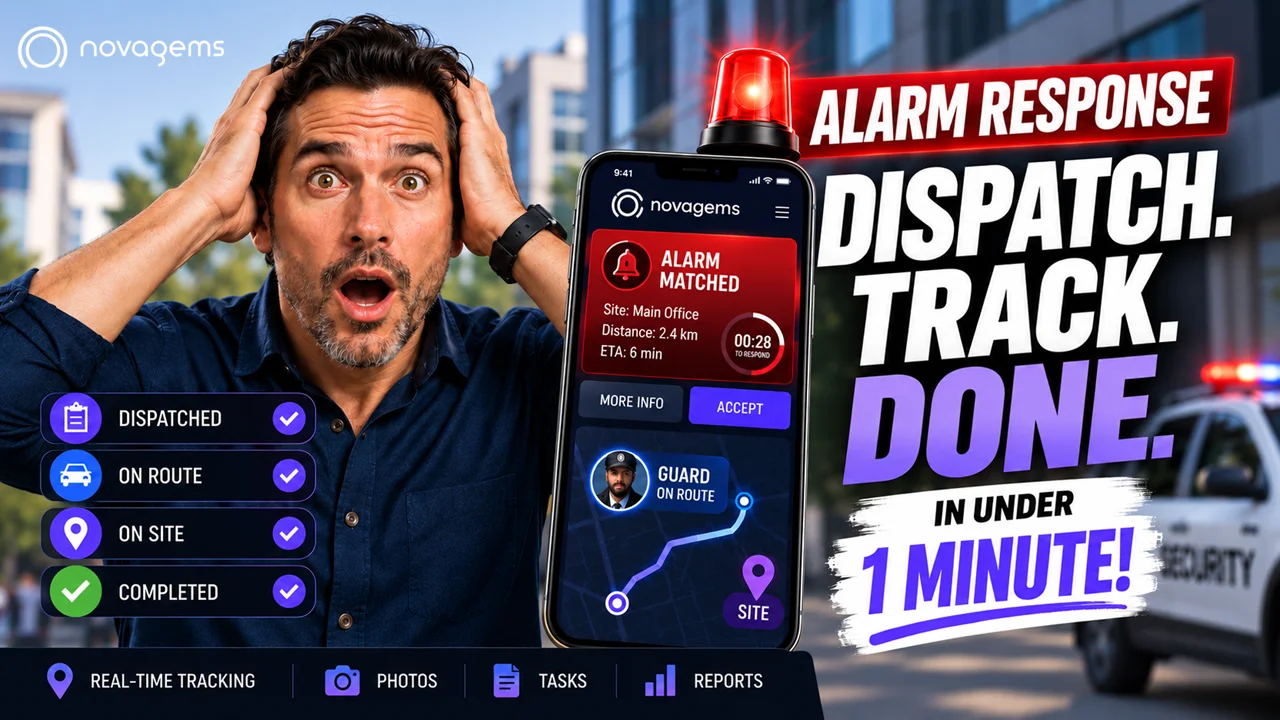
One platform
No Separate Dispatch Tool. No Second Subscription.
Alarm Response is part of Novagems, next to the tools your team already runs every day.
Our customer reviews
Trusted by 500+ Security Companies Across the US & Canada

Harul S.
President
“Novagems has made scheduling and day-to-day monitoring much easier for our team, while giving us better visibility into our operations.”

Katherine S.
Site Manager“Novagems pulls scheduling, attendance tracking, GPS monitoring, and reporting into a single platform. It's made our day-to-day so much smoother.”
Matt Lumb
Manager
“It makes work easy and efficient—a great solution for management”

Tameka R.
Interim Administrative Manager“Novagems' top features scheduling, GPS monitoring, checkpoints, and timekeeping”
Sam
Manager“Novagems simplifies guard management with easy setup and guided support.”
Richard S.
Manager“Panic Alert ensured timely backup, preventing a mishap. Thanks, Novagems!”
MUHAMMAD K.
Director“User-friendly system, 24/7 support, quick response, effective reports, and a professional team.”
Nathan O
Managing Director“All-in-one platform for staff rostering, attendance tracking, and payroll verification.”
Jerome Bell
Manager“We love the app! It made security supervision easy during COVID.”
Andrew
Site Incharge“As a guard, I found the app easy to use. It enables quick supervisor interaction and is very helpful. ”
William
Manager“With years as a guard, I find this solution a game-changer—smart tech at its best.”
Neha S.
HR / Admin“Great tool for managing security teams efficiently”
Albert D.
Director of Technology“Great customer service and decent software at a reasonable price”
Nicholas B.
Director of Operations“Completely Satisfied”
Geet A.
Sales“Helpful and easy-to-use workforce management tool”
FAQ
Alarm Response, Answered
What is Alarm Response in Novagems?
It is emergency dispatch inside Novagems. When a site needs a guard right away, you create a one-time alarm shift, send the closest guard, follow his progress live, and keep a full record of the response.
How is an alarm shift different from a regular shift?
A regular shift is planned ahead. An alarm shift is created on the spot: it starts Now, goes live when you publish it, and closes when the job is done. It sits on top of whatever your guards are already scheduled for.
How does Novagems know which guard is closest?
You choose Live Location, which uses where guards are at that moment, or Home Location, which uses their registered address. Each guard is listed with distance and travel time to the site, closest first.
Do my guards need a different app?
No. The alarm arrives in the same Novagems mobile app they use for their shifts, as an Alarm Matched card with the site, distance, travel time and a countdown to respond.
Can I send the alarm to several guards instead of choosing one?
Yes. Publish it as an open alarm shift and Novagems offers it to guards who are switched on for alarm response, nearest first, until someone accepts.
What does the client receive afterwards?
The guard's photos, completed task checklist and written report are attached to the alarm shift. When the response is finished you can send the report and pictures together to the client.
Does Alarm Response cost extra?
It is built into Novagems alongside scheduling, GPS tracking, patrols and reporting, so there is no third-party dispatch tool to buy. You can try it during the 14-day free trial.
Be Ready Before the Next Alarm Comes In
Set up your sites and guards today, and send your first alarm response from Novagems this week.
14-day free trial · Cancel anytime · Free onboarding support

