Guard scheduling can become difficult quickly when a security company manages multiple sites, changing availability, recurring shifts, overtime concerns, and last-minute coverage requests. Spreadsheets and disconnected messages may work for a small schedule, but they make it harder to see conflicts and communicate changes as operations grow.
Drag-and-drop shift planning gives security and facility services teams a clearer way to build, adjust, and manage schedules. Instead of recreating assignments manually, a scheduler can organize shifts in a visual workspace, assign guards, review coverage, and respond to changes from one system.
The right approach is not simply to fill every shift as quickly as possible. It is to create a schedule that matches guard availability, site requirements, working hours, and operational priorities. This article explains how drag-and-drop planning works, what to consider before publishing a schedule, and how drag-and-drop scheduling works in Novagems.
What Is Drag-and-Drop Shift Planning?
Security guard scheduling software is a digital tool used to plan, assign, and manage security shifts. It brings schedule information into a central workspace so operations managers and supervisors can see who is assigned, when they are working, and where coverage is needed.
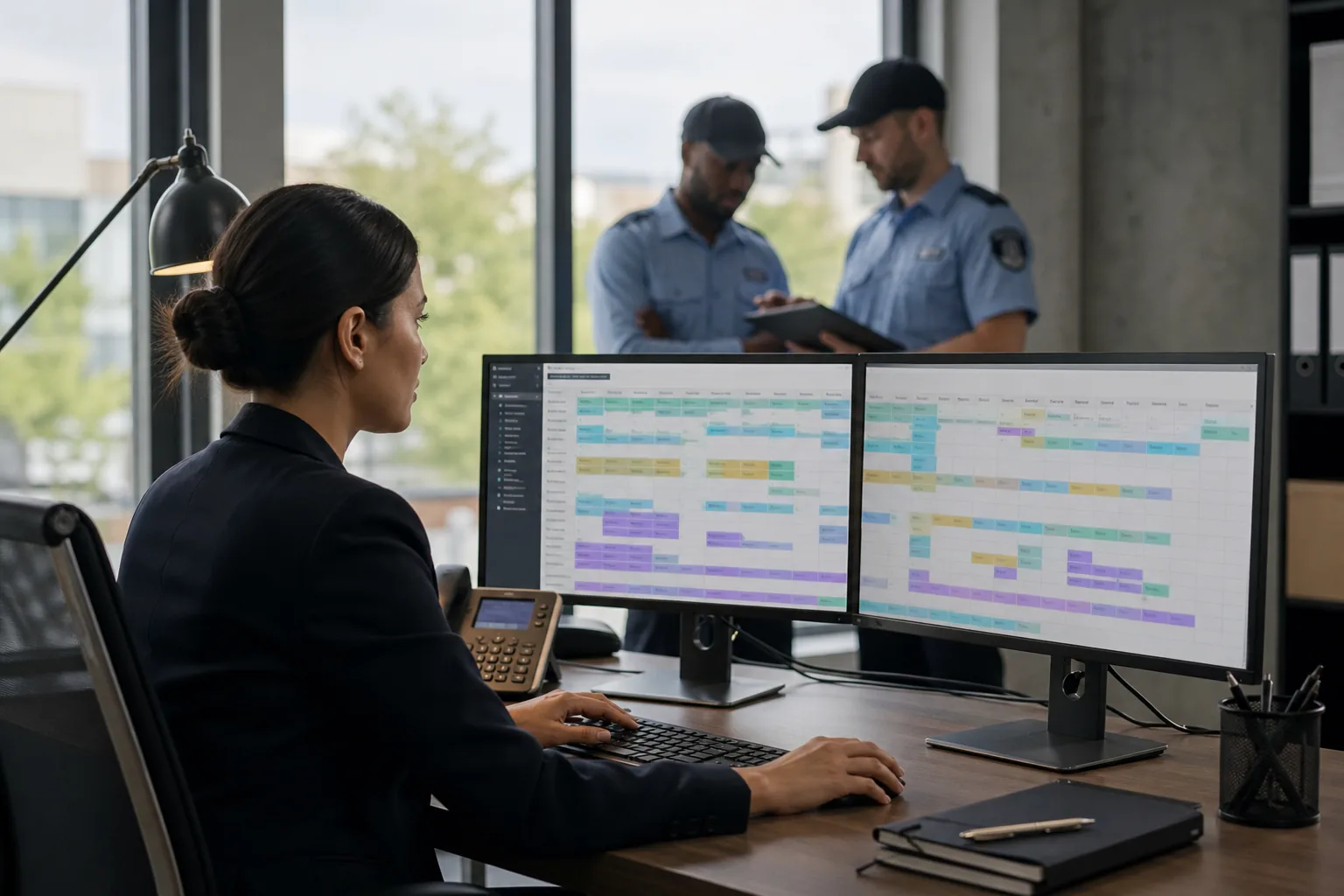
Drag-and-drop shift planning makes this process more visual. A scheduler can create a shift, place it on a timeline or calendar, and assign a guard by moving the shift into the appropriate position. When plans change, the assignment can be adjusted without rebuilding the entire schedule from scratch.
This is especially useful for security and facility services companies managing several clients, locations, or teams. A scheduling system can help make information easier to review than a collection of spreadsheets, emails, and chat messages. It also creates a practical foundation for other workforce processes, including time tracking, task management, incident reporting, and client reporting.
Why Drag-and-Drop Shift Planning Matters
Traditional scheduling often requires repeated manual work. A manager may copy a previous week, update dates, check availability in another file, contact guards about changes, and then send a revised version to supervisors. Each additional step creates an opportunity for an outdated assignment, a double booking, or an overlooked coverage gap.
A drag-and-drop schedule simplifies the visual planning stage. Managers can understand the shape of the workforce plan at a glance and make changes directly where they are needed. That can be valuable when a guard calls out, a client changes a site requirement, or an open shift needs to be filled quickly.
- Faster schedule adjustments: Move or reassign shifts without manually editing multiple documents.
- Better visibility: Review assignments and open coverage in one scheduling view.
- Fewer avoidable conflicts: Compare shift timing and guard assignments before publishing the plan.
- Clearer communication: Give supervisors and guards access to a more consistent version of the schedule.
- More organized operations: Connect planning with time tracking, tasks, incidents, and reporting.
These benefits do not replace good scheduling decisions. They help managers spend less time maintaining the schedule and more time reviewing whether it is workable for the people and sites involved.
What to Check Before You Drag the First Shift
Efficient scheduling starts with a clear understanding of the assignment, not with the software itself. Before placing shifts on a calendar, gather the information that determines whether coverage is appropriate.
Site requirements
Each site may have different expectations for coverage, patrols, tasks, or reporting. Identify the required shift times and the responsibilities associated with each assignment. A schedule that looks full may still be unsuitable if it does not reflect what the client or site needs during that period.
Guard availability
Consider when guards can work and whether their availability supports the proposed shifts. Reviewing this before assigning people helps reduce avoidable changes after the schedule is published. It also makes it easier to identify open shifts that require attention.
Shift timing and handoffs
Look closely at start and end times. If one guard is replacing another, the schedule should make the handoff clear. Overlapping or adjacent shifts may be appropriate for certain operations, but they should be intentional rather than created by accident.
Coverage and workload
A schedule should show more than whether every time slot has a name attached. Review the distribution of assignments across the team and check whether the plan creates an uneven workload. A clear scheduling view can help managers spot patterns that are difficult to see in separate files.
Changes and contingencies
Security operations can change during the week. A practical schedule should be easy to update when a guard becomes unavailable, a shift changes, or a site needs a different arrangement. Planning for revisions is one reason a flexible scheduling workflow matters.
A 7-Step Drag-and-Drop Planning Workflow
A repeatable process helps teams use scheduling software consistently. The exact workflow will depend on the company and its sites, but the following steps provide a useful starting point.
- Review the coverage requirements. List the locations, dates, shift times, and responsibilities that need to be covered. Separate recurring assignments from one-time or temporary needs.
- Organize the available guards. Review availability and identify the people who can be considered for each assignment. Keep open shifts visible rather than hiding them in notes or separate messages.
- Create the shifts. Add each shift to the schedule with the relevant timing and location information. Use a consistent naming approach so managers and supervisors can understand assignments quickly.
- Assign guards visually. Use drag-and-drop planning to place guards into the appropriate shifts. Start with fixed or high-priority assignments, then fill remaining coverage.
- Check for conflicts. Review the schedule for overlapping assignments, unfilled periods, or timing that does not align with the operation. Correct issues before communicating the final version.
- Publish and communicate the plan. Make the current schedule available to the people who need it. When a change is made, ensure the updated assignment is the version used by managers, supervisors, and guards.
- Monitor and adjust. Treat the schedule as an operational tool rather than a static document. Update it when circumstances change, then use related workforce information to review what happened.
This approach helps separate planning from reacting. Managers can first build a complete view of coverage, then use the same system to handle changes as they arise. For rotation patterns and a worked example, see how to create a security guard schedule in 5 steps.
Drag-and-Drop Planning in Practice
Consider a security company coordinating coverage across several client sites. The operations manager creates recurring shifts for each location and assigns guards based on availability. A visual schedule makes it easier to see which assignments are filled and which still need attention.
Now suppose a guard cannot work an upcoming shift. Instead of editing a spreadsheet and sending several messages, the manager can review the affected assignment, move it to another available guard, and update the schedule. The revised plan can then be used by the relevant supervisors and team members.
Another example involves a site with scheduled patrols and specific tasks. The shift schedule establishes who is responsible for coverage, while task management and checkpoint tours can support the work expected during that shift. If an issue occurs, incident reporting provides a separate way to record it rather than relying on informal notes.
For facility services teams, the same planning principle can apply to recurring assignments and changing coverage needs. Whether the work involves security guards, cleaning teams, or other field personnel, a central schedule can make responsibilities easier to coordinate.
Connecting Scheduling With Daily Workforce Operations
Scheduling is only one part of managing field-based teams. Once a shift is assigned, managers still need visibility into work activity, time, tasks, incidents, and client communication. A workforce management system can help bring these processes together.
GPS tracking and geofencing can support location-aware workforce oversight. Checkpoint tours can help organize patrol or inspection activity. Task management can clarify work that needs to be completed during an assignment, while time tracking provides information about working hours.
When an incident occurs, incident reporting gives teams a structured way to document what happened. Dashboards can help managers review operational information, and client reports can provide a clearer summary of relevant activity. The benefit of this connected approach is context: the schedule shows the planned assignment, while related tools help show how the work was carried out.
These capabilities should be used for a practical purpose. The goal is not to collect information for its own sake. It is to help security and facility services companies coordinate work, identify issues, and communicate more clearly with clients and internal teams.
What to Look for in a Drag-and-Drop Scheduler
When comparing scheduling tools, focus on how well they fit the way your team actually works. A long feature list matters less than a process that schedulers, supervisors, and guards can use consistently.
- Visual shift planning: Look for a clear calendar or scheduling view that supports drag-and-drop changes.
- Coverage visibility: Make it easy to identify assigned and open shifts without searching through separate documents.
- Support for changing operations: The schedule should be practical to update when availability or site requirements change.
- Workforce management connections: Consider whether scheduling works alongside GPS tracking, geofencing, checkpoint tours, tasks, time tracking, and incident reporting.
- Operational dashboards: Managers may benefit from dashboards that help them review workforce information more efficiently.
- Client reporting: If clients need updates about service activity, consider how scheduling and operational information can support client reports.
It is also worth considering who will use the system each day. A tool should be understandable for operations managers building schedules, supervisors coordinating field activity, and guards reviewing their assignments. The best choice is one that supports shared visibility without making routine changes unnecessarily complicated.
How Drag-and-Drop Scheduling Works in Novagems
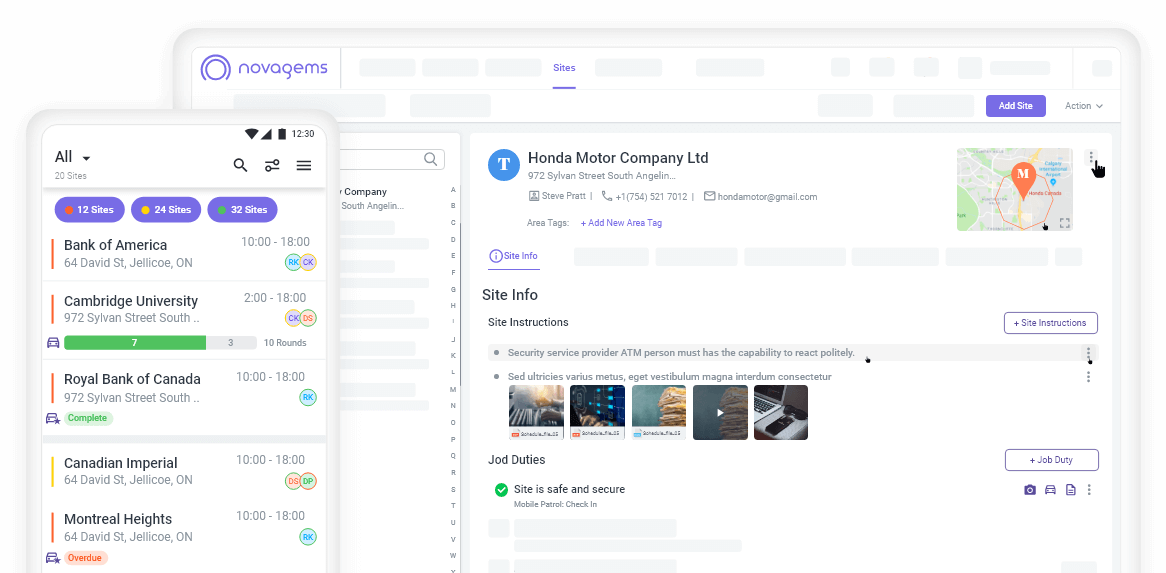
Novagems provides security management software for security and facility services companies. Its scheduler is a drag-and-drop board where managers plan, move, and publish shifts:
- Two ways to see the week. Staff View shows one row per guard, so you can see who is free. Site View shows one row per site, so you can see whether each site is covered. Week, Month, and Table layouts switch the whole board.
- Move shifts by dragging. Drag a shift to another time or another guard. Hold Ctrl (Cmd on a Mac) and drag to select many shifts at once, then assign, publish, or archive them together.
- Draft first, publish when ready. Shifts stay invisible to guards until you publish them, and guards are notified at that moment. One button publishes every pending shift in the view.
- Copy a week forward. Copy the whole week or month to the next one, with or without the guard assignments, instead of rebuilding it. Repeating shifts handle standing contracts such as five nights a week.
- Fill gaps quickly. Show only the shifts that have no guard yet, or mark a shift as an open shift so the guards you choose can claim it and you approve the request.
- Catch problems before guards do. A conflicts list flags guards booked into overlapping shifts, and hours and cost forecasting show next week’s numbers before you publish it.
Scheduling can be used alongside GPS tracking and geofencing, checkpoint tours, task management, time tracking, incident reporting, dashboards, and client reports. This gives teams a way to connect planned shifts with the operational information they need to manage field services.
For a security company owner, this can provide a more centralized view of workforce operations. For an operations manager or supervisor, it can make schedule adjustments and related follow-up work easier to organize. The specific value comes from using the scheduling workflow consistently and keeping the wider operational process connected.
Make Your Shift Plan Easier to Change
Effective guard scheduling is about more than placing names into time slots. It requires a clear view of site needs, guard availability, coverage, changes, and the work expected during each assignment. Drag-and-drop planning can make that process more visual and manageable, especially when schedules change frequently.
Guard scheduling software can also become more useful when it works with time tracking, tasks, checkpoint tours, incident reporting, dashboards, and client reports. Novagems brings these security and workforce management capabilities together for security and facility services companies.
Review your current scheduling process, identify where manual work or communication gaps occur, and consider how a centralized system could support your team. Explore Novagems security guard scheduling software to see how it can help you organize daily operations, or start a free trial.
Frequently Asked Questions
What is drag-and-drop shift planning?
Drag-and-drop shift planning is a way to build a schedule by moving shifts and guards directly on a calendar or board, instead of retyping them in a spreadsheet. When a guard calls out or a site changes, the manager moves the shift to another person or time and the schedule updates in one step.
Can guards see a schedule before it is published?
Not in Novagems. Shifts stay in draft until a manager publishes them, and guards are notified only at publish. You can publish a single shift or every pending shift in the view at once.
How do you cover a shift when a guard calls out?
Drag the shift to another available guard, or mark it as an open shift so the guards you choose can claim it from the app and you approve the request. Either way, the updated assignment is the one everyone sees.
Does drag-and-drop scheduling prevent double-booking?
Novagems lists shift conflicts, so a guard booked into two overlapping shifts is flagged and can be fixed before the schedule is published.
See Novagems in action
Join 500+ security & cleaning companies that replaced spreadsheets with Novagems.
✓ 14-day free trial · ✓ Free onboarding · ✓ Cancel anytime