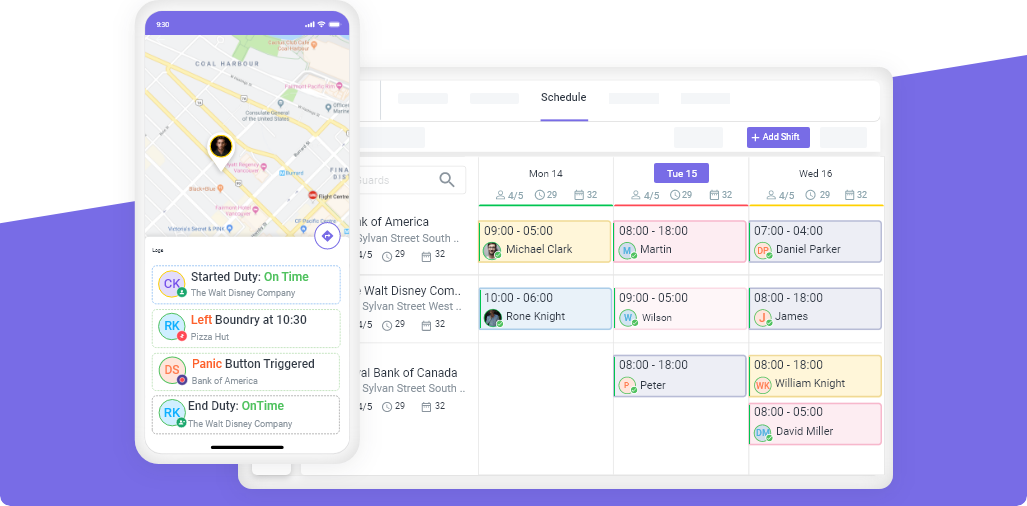
GPS TRACKING & GEOFENCING
GPS Tracking & Geofencing Software — Location-Verified Attendance
Ensure on-site presence with geofenced clock-ins and real-time GPS tracking.
Track workforce locations effortlessly with GPS tracking and geofencing technology. Prevent off-site clock-ins, monitor real-time locations, and ensure employees are at the right place at the right time.











Key Features
Mobile Clock-In/Out
with Geofencing
GPS-Based Location
Tracking
Geofenced Attendance &
Task Management
Smarter Workforce Tracking with GPS & Geofencing
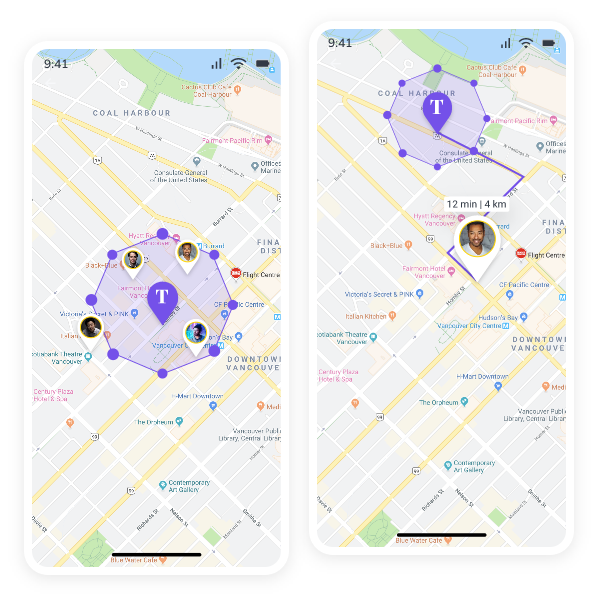
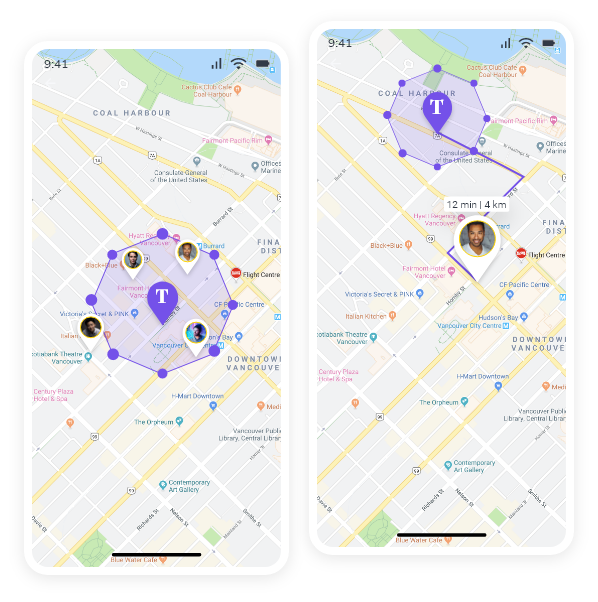
Mobile Clock-In/Out With Geofencing
Ensure Employees Only Clock In From Their Assigned Job Sites With Geofenced Attendance Restrictions. This Feature Prevents Off-Site Check-Ins And Ensures Accurate Attendance Tracking By Allowing Employees To Clock In Only When They Are Within The Designated Work Location. Managers Receive Real-Time Alerts For Any Unauthorized Check-Ins, Improving Accountability And Payroll Accuracy.
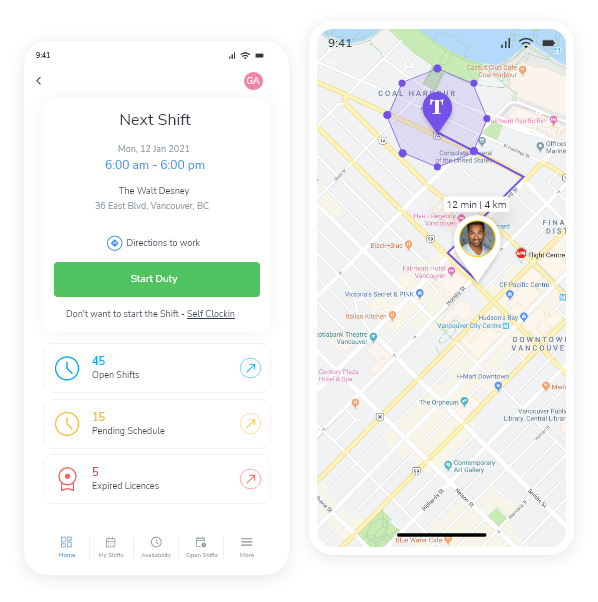
GPS-Based Location Tracking
Gain Real-Time Visibility Of Your Workforce With GPS-Based Location Tracking. Track Employees’ Locations While They Are On Duty To Ensure They Are At The Correct Job Site And Following Assigned Routes. This Feature Helps Managers Optimize Workforce Distribution, Response Times, And Accountability. Reducing The Risk Of Coverage Gaps And Missed Duties. And Your Company Gets Optimized Workforce Management.
Geofenced Attendance & Task Management
Ensure Employees Work Where They Are Assigned By Restricting Clock-Ins And Task Completion To Specific Job Locations. With Geofenced Attendance And Task Management, Employees Can Only Start Shifts Or Mark Tasks Complete When They Are Physically Within The Assigned Job Site.
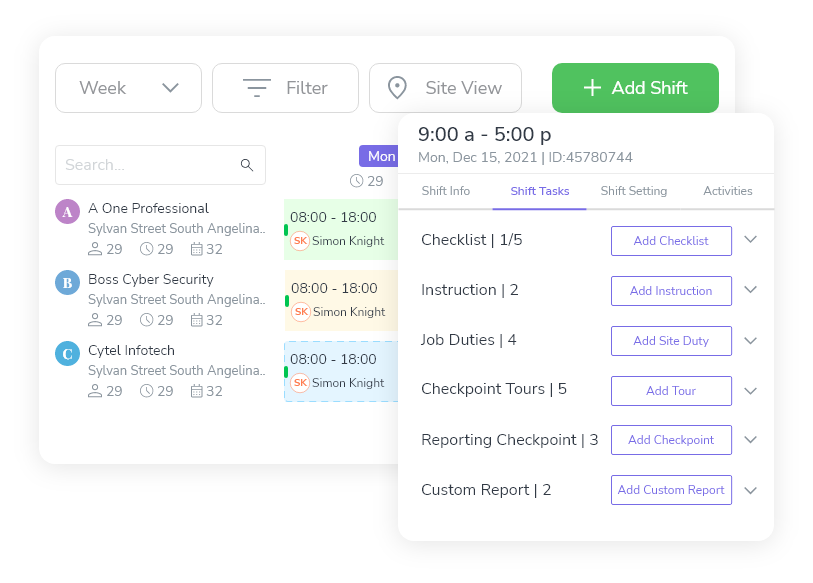


GPS tracking and geofencing software uses real-time location data and virtual geographic boundaries to verify that employees are on-site, on-time, and following assigned routes. Novagems GPS tracking shows the live location of every guard or field worker on a map, while geofencing prevents clock-ins from outside a defined site perimeter, eliminating buddy punching and ensuring accurate timesheets. The platform is used by 500+ security and cleaning companies across the US and Canada.
What Is GPS Tracking for Workforce Management?
GPS tracking for workforce management uses the Global Positioning System built into smartphones to monitor employee locations during their shifts. Unlike fleet GPS (which tracks vehicles) or consumer GPS (which provides directions), workforce GPS tracking is designed to answer one question: is my employee at the right place at the right time?
For security companies, this means knowing where every guard is across every site, without making phone calls. For cleaning companies, it means verifying that cleaners arrived at client locations on time and stayed for the scheduled duration.
The technology runs through a mobile app installed on the employee’s phone. During active shifts, the app sends location data to a cloud dashboard every 30-60 seconds. Managers see a live map. Clients see proof of service. Payroll gets accurate timesheets.
What Is Geofencing?
Geofencing creates a virtual boundary around a physical location. When an employee crosses that boundary, entering or leaving; the system triggers an action: allowing a clock-in, blocking a clock-in, or sending an alert.
In workforce management, geofencing is primarily used for:
| Use Case | How It Works |
|---|---|
| Clock-in verification | Employee can only clock in when physically inside the geofence radius |
| Clock-out verification | Employee can only clock out from the site, preventing early departures |
| Buddy punching prevention | One employee cannot clock in for another from a different location |
| Arrival/departure alerts | Manager notified when employee enters or leaves a site |
| Timesheet accuracy | Hours are calculated from geofence-verified clock-in/out, not manual entry |
A typical geofence is set to 100-300 meters around a site, depending on the property size. Too tight (50m) and guards standing at the edge of a parking lot get rejected. Too wide (500m) and someone could clock in from across the street.
Pricing
GPS tracking and geofencing are included in the Novagems all-in-one platform, not a separate add-on.
- Per active user pricing, pay only for employees currently scheduled
- All features included, GPS, geofencing, scheduling, checkpoint tours, reporting
- No hardware required, runs on employees’ existing smartphones
- 14-day free trial
Employee Scheduling Software For Every Industry
Built For Teams Of All Sizes, Novagems Helps Businesses Streamline Scheduling, Time Tracking, And Workforce Management. See How Companies Like Yours Are Benefiting.



Ensure On-Site Presence With GPS & Geofencing!
Say Goodbye To Attendance Fraud And Inaccurate Location Tracking. Verify Employee Locations In Real Time And Optimize Workforce Management With Ease.
Eliminate Off-Site
Clock-Ins
Improve Workforce
Accountability
Enhance Task Management
With Location Accuracy




Start Managing Your Team Smarter – For Free
Power, Simplicity & Support

24/7
Support
Get Round-The-Clock Assistance Whenever You Need It

Free Training & Built-In
Learning Videos
Seamless Onboarding With Step-By-Step Guides And In-App Tutorials.

Fast
Implementation
Set Up And Start Managing Your Workforce In No Time.

Web & Mobile
Accessibility
Manage Your Team Anytime, Anywhere With Our Mobile And Web Apps.
Frequently Asked Questions
Guard tracking starts with check-ins at the shift beginning, followed by real-time GPS tracking to ensure guards are where they should be. Geofencing adds digital boundaries and sends alerts if a guard steps in or out of a designated area.
Geofences alert you if a guard steps in or out of assigned areas. Guards report incidents quickly through the system. Novagems provides real-time location visibility, incident tracking, and open communication between guards and management.
Yes. Checkpoint scans and reports work offline and sync automatically when the device reconnects, so patrols in basements, garages, and remote sites are still verified.
Yes. Real-time GPS, geofencing, and checkpoint tours are included for all Novagems customers, with no higher-tier upcharge to access location features.
Related Resources