Key Takeaways
- A security daily activity report (DAR) is the record of one shift: patrols, visitors, incidents, hazards and what was handed to the next officer.
- Every entry needs four things: the time, the place, what you saw, and what you did about it, including who you told.
- Below is a complete, filled-in sample DAR for a 12-hour night shift, plus a free template you can download.
What Is a Security Daily Activity Report?
A security daily activity report (DAR) is a time-stamped log a security officer keeps during a shift. It records what the officer saw and did from the moment they took over the post until they handed it to the next officer.
A DAR has several readers, and it has to work for all of them:
- Your supervisor, who checks that patrols and post orders were followed.
- The client (property manager, site owner or facility team), who pays for the coverage and wants proof of it.
- The next officer, who needs to know what is still open.
- Insurers, lawyers or police, if something on your shift turns into a claim or a case. That can happen months or years later, so the report has to make sense to someone who was not there.
DAR vs. Incident Report vs. Patrol Log
These three get mixed up all the time. Here is the difference:
| Daily activity report | Incident report | Patrol log | |
|---|---|---|---|
| When | Every shift, no exceptions | Only when something happens | During each patrol round |
| Covers | The whole shift, in time order | One event, in full detail | Where you checked and when |
| Length | One to three pages | As long as the event needs | A few lines per round |
| Main reader | Supervisor and client | Supervisor, client, police, insurer | Supervisor |
A DAR mentions an incident in a line or two and points to the incident report by number. It does not replace it. For the full incident report, see our guide to writing an effective incident report.
What to Include in a Daily Activity Report
| Section | What to write | Example |
|---|---|---|
| Header | Date, site and address, post, your name and badge or licence number, shift start and end | Riverside Distribution Center, Gate 2, Officer D. Morales #4471, 18:00 to 06:00 |
| Handover received | Who you relieved, equipment and keys received, open issues passed to you | Relieved Officer K. Shah. Radio #4, key set B (12 keys), site phone. Dock door 7 sensor faulty. |
| Activity timeline | Every patrol, check, call and event, each with a time and location | 20:15 Patrol 2, building interior, all exterior doors locked |
| Incidents | A short summary plus the incident report number | 01:20 Person pulling car door handles in north lot. See IR-0412. |
| Visitors and vehicles | Name or company, time in and out, reason, plate or trailer number | 19:05 Carrier truck, trailer 5521, scheduled pickup, out 19:50 |
| Hazards and maintenance | What is broken or unsafe, where, and who you reported it to | Light pole L-14 out in north lot. Emailed facilities 18:45. |
| Notifications | Every call to a supervisor, client, police, fire or alarm company, with the time and any reference number | 22:34 Called alarm monitoring, ref 88213 |
| Handover given | Who relieved you, what you handed over, what is still open | Relieved by Officer T. Nguyen 06:00. L-14 still out. |
| Summary and signature | Totals for the shift and your sign-off | 5 patrols, 1 incident, 2 open maintenance items |
Outdoor posts should also note weather and lighting. Rain, fog or a dark parking lot affects what you could see, and that matters if your report is questioned later.
Sample Security Daily Activity Report (Completed)
Here is a full DAR for a 12-hour night shift at a distribution warehouse. The site, names and numbers are made up, but the entries show the level of detail supervisors and clients expect.
| Security Daily Activity Report | |
|---|---|
| Date | November 14 |
| Site | Riverside Distribution Center |
| Post | Gate 2 and building patrol |
| Officer | D. Morales, badge #4471 |
| Shift | 18:00 to 06:00 |
| Supervisor on duty | J. Patel |
| Weather | Clear and cold, ground dry. North lot poorly lit (see 18:30). |
Activity log
| Time | Location | Activity and action taken |
|---|---|---|
| 18:00 | Gatehouse | On duty. Relieved Officer K. Shah. Received radio #4, key set B (12 keys, all present) and site phone. Radio check with supervisor clear. |
| 18:10 | Gatehouse | Read pass-down log. Open item: dock door 7 sensor faulty, maintenance ticket already open. |
| 18:30 | Exterior perimeter | Patrol 1. All gates and fence line intact. Light pole L-14 in north lot not working, lot partly dark. Photo taken. |
| 18:45 | Gatehouse | Emailed facilities manager about L-14, as required by post orders. |
| 19:05 | Gate 2 | Carrier truck, trailer 5521. Driver showed ID and pickup number, matched the dock schedule. Admitted to dock 3. |
| 19:50 | Gate 2 | Trailer 5521 departed. Seal number checked against paperwork, matched. |
| 20:15 | Building interior | Patrol 2. Docks 1 to 12, aisles A to F, offices. All exterior doors locked. No persons in building. |
| 21:40 | Side door B | Found door propped open with a wood block. No one in the area. Checked hallway and break room, both empty. Removed block, closed and tested door, locked. Photo taken. |
| 21:45 | Gatehouse | Reported propped door to supervisor J. Patel by radio. Supervisor to review camera footage. |
| 22:30 | Fire panel, main office | Panel showing TROUBLE (not ALARM) for zone 3. Walked zone 3, no smoke, heat or fire found. |
| 22:34 | Gatehouse | Called alarm monitoring company, reference 88213. Called facilities on-call M. Brooks, who requested a technician. |
| 23:10 | Fire panel, main office | Alarm technician arrived and replaced a detector battery in zone 3. Panel normal at 23:25. Technician left 23:30. |
| 23:55 | Building interior | Patrol 3. All doors locked, side door B secure. No issues. |
| 01:20 | North lot | Male, about 30, gray hoodie, jeans, black backpack, pulling the door handles of parked cars near pole L-14 (dark area). Announced myself from about 50 feet. He walked away east on Elm St. No cars appeared damaged. |
| 01:22 | Gatehouse | Called police non-emergency line, call number 26-11408. Informed supervisor J. Patel by radio. |
| 01:41 | North lot | Police unit arrived and searched the area. Male not found. Gave my statement to the officer. Incident report IR-0412 filed. |
| 02:30 | Exterior perimeter | Patrol 4. Fence intact, no persons. L-14 still out. |
| 03:15 | Gatehouse | Meal break. Post covered by roving officer A. Brown until 03:45. |
| 04:30 | Building interior | Patrol 5. All doors locked. No issues. |
| 05:30 | Gate 2 | Contract cleaning crew, 3 people, signed in on the visitor log. |
| 06:00 | Gatehouse | Relieved by Officer T. Nguyen. Handed over radio #4, key set B (12 keys) and site phone. Briefed on open items below. |
Shift summary: 5 patrols completed. 1 incident (IR-0412, person pulling car door handles, police attended). 1 security issue (side door B propped open). 1 fire panel trouble signal, fixed by the alarm company. 1 truck in and out.
Open items for next shift: Light pole L-14 in north lot still out (facilities emailed at 18:45). Dock door 7 sensor still faulty. Supervisor reviewing camera footage for side door B.
Officer signature: D. Morales, 06:05
Want this layout as a blank form? Download our free security guard daily activity report template.
How to Write Each Entry
Every line in a DAR should answer four questions: when, where, what you saw, and what you did, including who you told. If an entry is missing one of the four, expect your supervisor to send it back.
Here is how vague entries become useful ones:
| Vague | Clear |
|---|---|
| Suspicious person in lot. Handled. | 01:20 North lot. Male, about 30, gray hoodie, black backpack, pulling car door handles. Announced myself, he left east on Elm St. Police called 01:22, call #26-11408. See IR-0412. |
| Alarm went off, fixed. | 22:30 Fire panel showing TROUBLE for zone 3. No smoke or fire found. Called monitoring (ref 88213) and facilities on-call at 22:34. Technician fixed it, panel normal 23:25. |
| Patrol done, all good. | 23:55 Patrol 3: docks 1 to 12, aisles A to F, offices. All exterior doors locked, no persons. |
| Driver was drunk and rude. | 14:10 Gate 2. Driver raised his voice and at first refused to show ID. Strong smell of alcohol. Called shipping supervisor, who did not allow the truck to unload. |
The clear versions describe what anyone standing there would have seen or heard. “Drunk” is a conclusion; “strong smell of alcohol” is an observation. “Suspicious” is an opinion; “pulling car door handles” is a fact.
8 Rules for a Report That Holds Up
- Write as you go. Log each entry within minutes. A report rebuilt from memory at 05:45 misses times and details.
- Keep it in time order. One entry per event, oldest first.
- Use one time format. Many security companies use the 24-hour clock because it avoids AM/PM mix-ups on night shifts. Whatever your company uses, never mix the two.
- Describe, don’t judge. Write what you saw and heard. Put what people said in quotation marks, word for word.
- Describe people by what is visible. Clothing, approximate age and height, direction of travel, vehicle and plate. Never guess at someone’s intentions.
- Record every notification. Who you contacted, how, at what time, and any reference number you were given.
- Correct mistakes openly. On paper, draw one line through the error and initial it. Never use correction fluid or tear out a page. In an app, add a note instead of quietly rewriting an entry.
- Check before you sign. Names, plate numbers, times and incident report numbers. One wrong digit can make a report useless as evidence.
First person or third person? Follow your company’s policy. Many companies accept “I” as long as it stays consistent; others want “Officer Morales” or “this officer.” Either way, every entry must be factual.
How Supervisors Should Review DARs
If you run a security company, the DAR is also what your client judges you by. Before a report goes to the client, check that:
- Patrol frequency matches the post orders. If the post orders call for patrols every two hours, a 12-hour shift should show at least five or six.
- There are no long silent gaps. Three hours with no entry on a night shift raises questions you will have to answer.
- Every incident has an incident report number and every notification has a time.
- Open items are routed. A broken light or a faulty door sensor should become a work order or an email to the client, not just a line in the report.
- It is client-ready. No slang, no internal complaints, no personal opinions about the client’s staff.
- It arrives on time. Many clients expect the report by the next morning. A late report can look like a missed shift.
Paper, Template or App?
| Paper or Word template | Reporting app | |
|---|---|---|
| Cost | Free | Monthly subscription |
| Time stamps | Written by hand | Automatic |
| Proof the officer was on site | Signature only | GPS clock-in and site boundary checks |
| Photos | Printed or emailed separately | Attached to the entry |
| Getting it to the client | Scanned or typed up, then emailed | Sent automatically |
With one or two posts, a paper or Word template works fine. As you add sites, the hours spent typing up and emailing reports add up, and clients increasingly ask for photos and proof of patrols.
How Novagems Builds the DAR for You
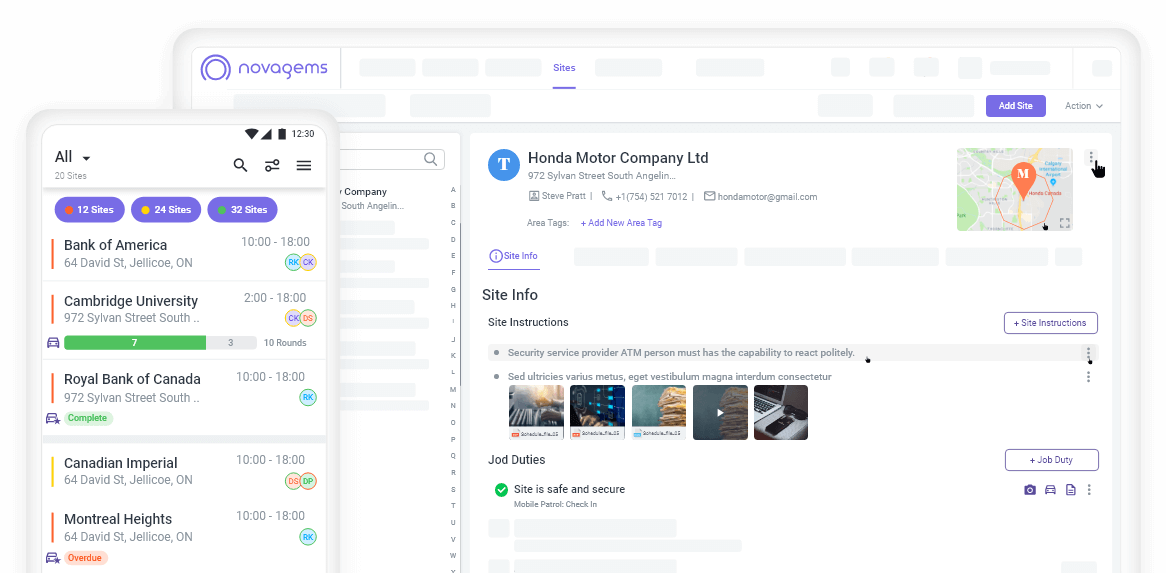
In Novagems, officers don’t write the daily report from scratch. The report is built from what they log on their phone during the shift:
- Clock-in and clock-out show whether the officer was inside the site boundary (see GPS tracking and geofencing).
- Checkpoint tours record each scan with its time.
- Tasks and checklists from the post orders show as completed or missed.
- Visitor check-ins are logged with times.
- Incident reports use forms you design yourself, with dropdowns, checklists, photos and a signature field. A high-priority report alerts managers right away, and you can email it to the client instantly or at the end of the shift.
At the end of the shift, the next morning or a time you choose, Novagems turns all of it into a PDF shift report with your logo: site and shift details, counts of patrols, tasks and incidents, and the full time-stamped activity log with photos. It then emails the report to your client automatically. You decide which sections each client sees.
Start a 14-day free trial and see one of your own shifts turned into a client-ready report.
Further Reading
- Types of Security Guard Services, pillar guide covering all 12 security service categories
- How to Price Security Guard Contracts, bill rates, margins, and contract pricing formulas
- Workforce Management for Security Companies, operations platform for security firms
- GPS Tracking and Geofencing, verified patrols and real-time guard location
- Start a Free 14-Day Trial, cancel anytime
- Event Security Services, event pricing, staffing, and crowd management
Frequently Asked Questions
How long should a security daily activity report be?
Long enough to cover every patrol, event and notification on the shift, and no longer. A quiet 8-hour shift often fits on one page. A 12-hour night shift with an incident can run to two or three. The detail belongs in the entries, not in extra commentary.
Is a daily activity report the same as an incident report?
No. A DAR is written every shift and covers the whole shift in time order. An incident report is written only when something happens and covers that one event in full detail. The DAR mentions the incident in a line or two and refers to the incident report by its number.
Should a DAR be written in first person or third person?
Follow your company's policy. Many security companies accept first person ("I checked door B") as long as it is consistent and factual. Others require third person ("Officer Morales checked door B"). Never switch between the two in one report.
Can a security daily activity report be used in court?
Yes. DARs are often requested in lawsuits, insurance claims and police investigations, sometimes years after the shift. That is why every entry needs an exact time, plain facts and the name of anyone notified, and why mistakes should be corrected openly rather than erased.
How long should security companies keep daily activity reports?
Check your client contract, your insurer and your state or provincial regulator, because requirements differ. Many companies keep DARs for several years, since injury and property claims can be filed long after the shift.
Who receives the daily activity report?
Usually the officer's supervisor first, then the client, such as the property manager or site owner. Many clients expect the report by the morning after each shift.
See Novagems in action
Join 500+ security & cleaning companies that replaced spreadsheets with Novagems.
✓ 14-day free trial · ✓ Free onboarding · ✓ Cancel anytime
Want to see more from Novagems on Google? Add us as a preferred source.