Is Whatsapp Effective for Business Communication?
Tue, Apr 23, 2024
Read in 8 minutes
WhatsApp is the most commonly used channel for communication. But is it effective when it comes to business communication? Read on to find out about the effectiveness of using WhatsApp for business.

Key Takeaways
- WhatsApp has massive reach: businesses gain quick access to customers via a channel they already use daily.
- With open rates of ~98% and very fast read times, messages via WhatsApp outperform many other media.
- It works well for both external (customer) and internal (team) communication, but it has limitations (e.g. scale, privacy, context).
- Using WhatsApp Business or the API adds automation, segmentation, labels, catalogs, and reporting.
- To succeed, combine WhatsApp with clear policies, integration into your systems, and consistent workflows.
Introduction to WhatsApp for Business Communication
In today’s digital age, effective communication is crucial for any business. WhatsApp, one of the most popular messaging apps worldwide, has become a significant tool for business communication. WhatsApp for Business, launched in 2018, offers features specifically designed to facilitate professional interactions. But is WhatsApp truly effective for business communication? This blog explores the key features, advantages, potential drawbacks, and overall effectiveness of WhatsApp for business use.
Key Features of WhatsApp for Business Use
WhatsApp for Business offers several features tailored to meet the needs of businesses. These features help streamline communication and enhance customer engagement.
WhatsApp Business Account
A WhatsApp Business account allows businesses to create a professional profile. This profile includes essential information like the business address, description, email, and website. This makes it easier for customers to find and contact the business.
WhatsApp Business Web
WhatsApp Business Web is an extension of the WhatsApp app that allows businesses to manage their accounts from a desktop. This feature is particularly useful for companies that handle a high volume of messages, making it easier to respond quickly and efficiently.
WhatsApp Channel
WhatsApp Channels enable businesses to broadcast messages to a large audience. This feature is ideal for sending updates, promotions, and important announcements to customers without overwhelming them with individual messages.
Messaging Tools
WhatsApp for Business includes automated messaging tools such as greeting messages, away messages, and quick replies. These tools help businesses maintain consistent communication with customers and provide immediate responses.
Labels
Businesses can use labels to organize contacts and chats. Labels like “New Customer,” “Pending Payment,” or “Order Completed” help businesses manage customer interactions more effectively.
Advantages of Using WhatsApp for Business Communication
Using WhatsApp for business communication offers several benefits that can significantly enhance a company’s operations.
Direct and Immediate Communication
WhatsApp allows for instant messaging, making communication with customers quick and direct. This immediacy can lead to faster response times and improved customer satisfaction.
Wide Reach
WhatsApp has over 2 billion users worldwide. This extensive user base means businesses can reach a vast audience, both locally and internationally, without additional costs.
Cost-Effective
WhatsApp is a free app, and WhatsApp Business is also free. This makes it a cost-effective communication tool compared to other business communication platforms that might require subscription fees.
Enhanced Customer Engagement
With features like WhatsApp Channels and personalized messaging, businesses can engage with customers more effectively. Regular updates, promotions, and direct communication help in building stronger customer relationships.
User-Friendly Interface
WhatsApp’s simple and intuitive interface makes it easy for both businesses and customers to use. The transition to WhatsApp Business is smooth for those already familiar with the standard WhatsApp app.
Multimedia Sharing
WhatsApp supports various media formats, including text, images, videos, documents, and voice messages. This versatility allows businesses to share product catalogs, brochures, and other multimedia content with ease.
Potential Drawbacks of WhatsApp for Business
While WhatsApp for Business offers many advantages, there are also some potential drawbacks to consider.
Security and Privacy Concerns
Despite WhatsApp’s end-to-end encryption, there are still concerns about data security and privacy, especially given its ownership by Facebook. Businesses handling sensitive information may need to consider these risks.
Informality
WhatsApp is primarily a personal messaging app, which can lead to a more informal communication style. This might not be suitable for all business interactions, especially in industries where professionalism is paramount.
Limited Business Features
While WhatsApp for Business offers useful features, it lacks some advanced functionalities found in other business communication tools, such as extensive CRM integration or advanced analytics.
Dependency on Internet Access
WhatsApp requires a stable internet connection, which can be a drawback in areas with unreliable internet service. This dependency might affect communication efficiency in such regions.
Potential for Distraction
Using WhatsApp for both personal and business communication can lead to distractions. Employees might get sidetracked by personal messages, affecting productivity.
Strengths vs Limitations: Where WhatsApp Works & Where It Doesn’t
Strengths
- High user familiarity: Minimal training required for users already accustomed to WhatsApp.
- Speed: Instant delivery & reading — great for confirmations, alerts, updates.
- Media richness: Support for images, videos, voice — useful for proofs, instructions, feedback.
- Cost-effectiveness: No additional messaging charges beyond data connectivity.
- Automation & labeling (in Business/ API): You can automate responses, categorize conversations, route to agents, etc.
- Accessibility: Works across devices (phones, Web) as long as internet access is there.
Limitations / Risks
- Scalability constraints: The basic Business app is limited for high-volume or multi-agent use.
- Privacy & compliance: Handling of personal data must comply with regulations (e.g. GDPR).
- Message context & threading: Unlike email, long threads with many users can become cluttered.
- Dependence on phone number: If number changes or is blocked, communication disrupts.
- Notification overload: Users may ignore messages if overused or misused.
- Limited formal structure: Features like templates, versioning, audit trail are weaker than full CRM systems.
- Offline / network issues: Requires internet connectivity — in areas with patchy coverage, performance can lag.
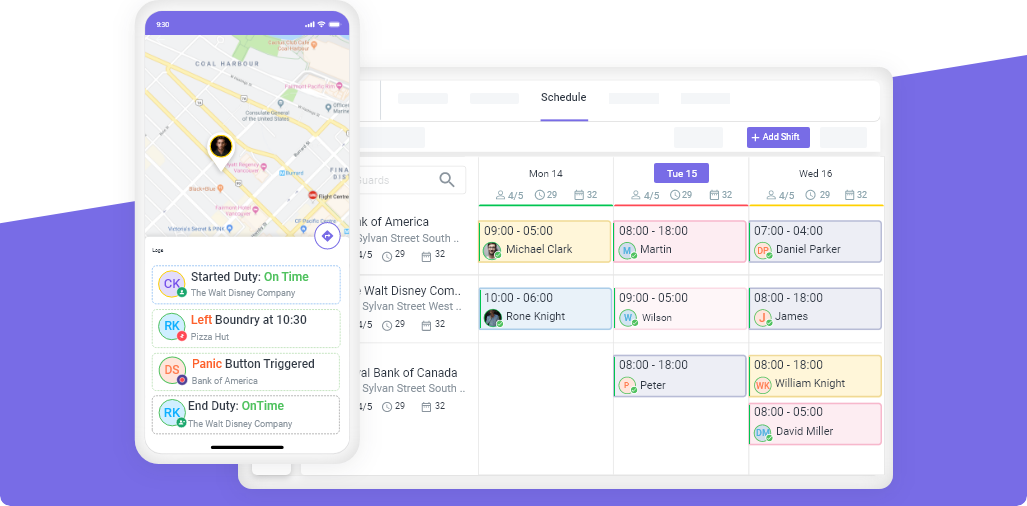
When businesses ask about communication tools in operations, many security, cleaning, and field service companies look for real-time tracking, incident logging, and staff updates in their systems. Novagems often integrate or coexist with WhatsApp channels — for example:
- Synchronizing alerts or task assignments from Novagems dashboards into WhatsApp messages
- Logging WhatsApp interactions within the Novagems client communication module
- Using WhatsApp for client notifications while preserving core operation control in Novagems
This dual approach leverages WhatsApp’s familiarity and reach while keeping structured, auditable records in your main operations system.
Best Practices for Business Use of WhatsApp
Choose the right version
- Start with WhatsApp Business for small operations.
- For scaling, move to WhatsApp Business API with integration into your systems.
Obtain consent & maintain opt-ins
- Only message contacts who consent (opt-in).
- Provide clear opt-out.
- Respect messaging boundaries.
Maintain a contact database / labeling system
- Use labels for segments (prospects, clients, support, leads).
- Keep contact profiles clean and up to date.
Use templates and quick replies
- Create standard response templates for FAQs.
- Use placeholders that auto-fill client name/ data.
Integrate with backend systems
- Sync with CRM, helpdesk, order systems so messages don’t live in silos.
- Log WhatsApp conversations with client records.
Set response SLAs / expectations
- Reflect your response times (for example, “We respond within 30 minutes during business hours”).
- Use auto-acknowledgements when agent response will be delayed.
Balance automation and human touch
- Use chatbots or automated responses for common queries.
- Escalate to humans for complex issues.
Protect sensitive data & follow compliance
- Don’t share private or sensitive data in open chat without encryption and precautions.
- Secure backups, role-based access, encryption where possible.
Monitor metrics & feedback
- Track open rates, response times, message volumes, drop-offs.
- Collect feedback from users to refine messaging style.
Train your team & set guidelines
- Define tone, response rules, escalation paths.
- Train staff on respecting business vs personal boundaries.
How WhatsApp Fits in Business Communication Landscape
WhatsApp excels for real-time, conversational, relational communication — alerts, confirmations, simple enquiries, quick updates. It is less suited for long-form proposals, highly structured workflows, formal documents, or multi-stakeholder collaboration. In many organizations, WhatsApp is best used as a complement to email, collaboration suites (Slack, Teams), and CRM tools.
From a media richness perspective, WhatsApp is richer than SMS or email (because of support for multimedia) but less than face-to-face or video meetings — so for ambiguous, emotional, or strategic messages, consider mixing channels. (Wikipedia)
Internally, many companies use WhatsApp groups for rapid coordination between teams, especially for field staff or operations teams. (Mike Gingerich)
Conclusion: Is WhatsApp Right for Your Business?
WhatsApp for Business offers numerous benefits that make it an effective tool for business communication. Its wide reach, cost-effectiveness, and user-friendly interface are significant advantages. However, businesses must also consider the potential drawbacks, such as security concerns and the app’s informal nature.
Ultimately, whether WhatsApp is right for your business depends on your specific needs and circumstances. For small to medium-sized enterprises looking for a cost-effective and efficient communication tool, WhatsApp for Business can be a great choice. For larger companies or those dealing with highly sensitive information, a more robust communication platform might be necessary.
By leveraging the key features of WhatsApp Business Web, WhatsApp Channels, and other tools, businesses can enhance their communication strategies, improve customer engagement, employee engagement, and streamline their operations.
Frequently Asked Questions
Is WhatsApp reliable enough for business-critical communication?
Yes, for many day-to-day operations and customer touchpoints. But for mission-critical or regulatory-heavy communication, it should be backed by formal systems or confirmation channels.
What are the open or read rates for WhatsApp messages?
Many sources cite ~98% open rates, with messages often read within minutes. (AiSensy)
Can WhatsApp replace email entirely?
No. WhatsApp complements email. For complex documents, formal proposals, integrations, and archival compliance, email or document systems are still needed.
Do businesses use WhatsApp internally too?
Yes — for fast coordination among teams, field staff, updates, status info, or urgent alerts. But proper policies and boundaries are essential. (Mike Gingerich)
How do I scale WhatsApp beyond one user?
Use the WhatsApp Business API, integrate with CRM/helpdesk systems, manage multiple agents, automated routing, and template messaging. (IJoSATE)
Sign up For Newsletter
Latest Blog Posts



Get Started
Start being productive & grow your business
with Novagems