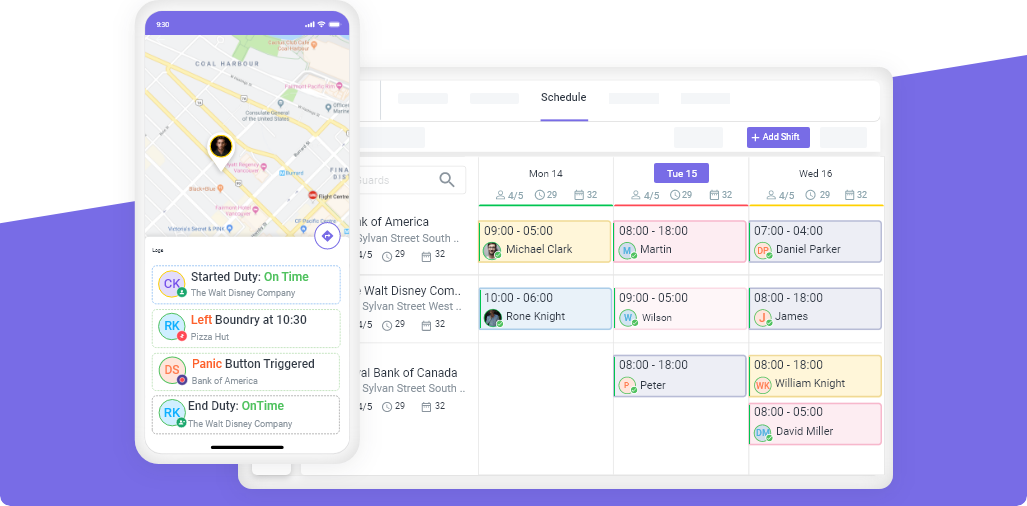
Open Shifts
Stop Chasing Coverage. Let Open Shifts Fill Themselves.
Someone calls out, you post the shift as open, and your available, qualified staff claim it instantly from the app they already use. Fill last-minute gaps 3–5x faster than phoning down a list — no scramble, no compliance risk.
- Broadcast an open shift to all qualified staff in one tap
- First qualified employee accepts — schedule updates itself
- Only certified, available staff can claim — overtime-aware
- Optional manager approval before the shift is confirmed





Start Your Free Trial
Cover your next call-out in minutes. Get set up in under 24 hours.
14-day free trial • Cancel anytime • Free onboarding & training
Features
Built for Security & Workforce Management

Scheduling

Task & Post

GPS Geofence

Clock In/Out

Timesheet

Mobile Patrol

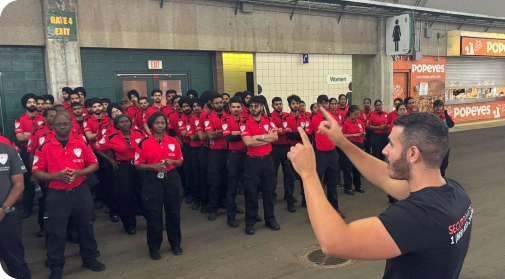

The 6 a.m. scramble
One Call-Out Shouldn't Cost You 45 Minutes of Phone Calls
A guard calls in sick and you're dialing down a list while a post sits empty — risking uncovered sites, unhappy clients, and surprise overtime. Open Shifts replaces the phone tree with a single broadcast.
How it works
Coverage in Three Steps
Post the shift as open
Qualified staff get notified
First to accept is scheduled
Fast and compliant
Filling Fast Shouldn't Mean Cutting Corners
Qualified-only claiming
Only employees with the right certification, license, and site clearance can see or claim the shift — so a fast fill never creates a compliance gap.
Overtime-aware
Open Shifts respect your hour thresholds and flag anyone approaching 40 hours, so covering a gap doesn't quietly blow up next week's payroll.
You stay in control
Let the first qualified person grab it, or require manager approval before any open shift is confirmed. Your rules, every time.
Good for managers.
Great for your team.
Open Shifts isn't just an admin time-saver — it gives your staff a fair, transparent way to pick up the extra hours they actually want. Everybody wins.
- Managers fill gaps in minutes instead of working the phones at dawn.
- Staff grab extra shifts that fit their availability — first come, first served.
- Clients never see an uncovered post — and you reduce no-shows by 30–50%.
Our customer reviews
Join 15,000+ highly productive team members

Matt Lumb
Manager
“It makes work easy and efficient—a great solution for management”

Tameka R.
Interim Administrative Manager
“Novagems' top features scheduling, GPS monitoring, checkpoints, and timekeeping”

Sam
Manager“Novagems simplifies guard management with easy setup and guided support.”
Richard S.
Manager“Panic Alert ensured timely backup, preventing a mishap. Thanks, Novagems!”
MUHAMMAD K.
Director“User-friendly system, 24/7 support, quick response, effective reports, and a professional team.”
Nathan O
Managing Director“All-in-one platform for staff rostering, attendance tracking, and payroll verification.”
Jerome Bell
Manager“We love the app! It made security supervision easy during COVID.”
Andrew
Site Incharge“As a guard, I found the app easy to use. It enables quick supervisor interaction and is very helpful. ”
William
Manager“With years as a guard, I find this solution a game-changer—smart tech at its best.”
Neha S.
HR / Admin“Great tool for managing security teams efficiently”
Albert D.
Director of Technology“Great customer service and decent software at a reasonable price”
Nicholas B.
Director of Operations“Completely Satisfied”
Geet A.
Sales“Helpful and easy-to-use workforce management tool”
Cover Your Next Call-Out in Minutes
Start your 14-day free trial and post your first open shift today. Setup takes under 24 hours, with free onboarding and training.
Start Free Trial →14-day free trial • Cancel anytime • Free onboarding & training
FAQ
Open Shifts, Answered
What is an open shift?
An open shift is a shift that hasn't been assigned to anyone yet. Instead of manually assigning it, you broadcast it to your eligible staff, who can claim it themselves. It's the fastest way to cover a last-minute call-out or no-show.
How do employees claim an open shift in Novagems?
Qualified, available employees get a push notification and can view the open shift — date, site, hours, and pay — in the Novagems mobile app. They claim it with one tap, and the schedule updates automatically for everyone.
Can I limit open shifts to qualified or certified staff?
Yes. Only employees who meet the shift's requirements — certification, license, and site clearance — can see or claim it. You can also require manager approval before any claimed shift is confirmed.
Does Novagems stop open shifts from creating overtime?
Open Shifts are overtime-aware. The system tracks each employee's weekly hours and flags anyone approaching your overtime threshold, so filling a gap today doesn't create a payroll surprise next week.