Repeat Shifts
Build Your Schedule Once. Let Repeat Shifts Do the Rest.
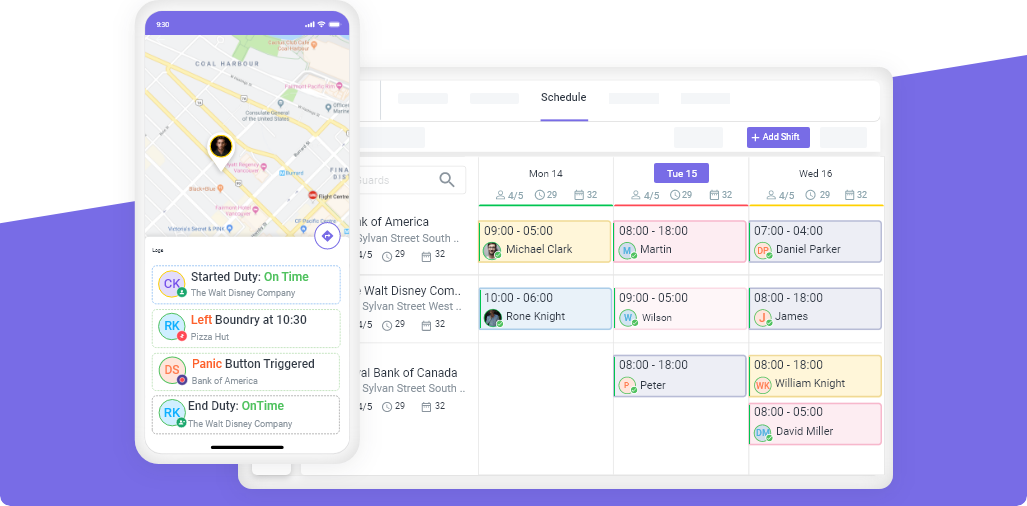
Create a shift one time, set it to repeat daily, weekly, or monthly, and Novagems rolls out your entire roster automatically. Stop re-entering the same shift over and over, build a full month of coverage in seconds, not hours.
- Set a shift to repeat daily, weekly, or monthly in one tap
- Roll out a full month of coverage from a single shift
- Edit one occurrence or the whole series — your choice
- Skip holidays and one-off exceptions without breaking the pattern





Start Your Free Trial
Build next month's schedule in minutes. Get set up in under 24 hours.
14-day free trial • Cancel anytime • Free onboarding & training
Features
Built for Security & Workforce Management

Scheduling

Task & Post

GPS Geofence

Clock In/Out

Timesheet

Mobile Patrol



The copy-paste grind
Your Schedule Repeats Every Week. Your Data Entry Shouldn't.
Most posts run the same hours week after week, yet managers still rebuild the roster from scratch every cycle — re-typing identical shifts, missing one, and burning hours that should take minutes. Repeat Shifts let you set the pattern once and reuse it for as long as you need.
How it works
A Recurring Schedule in Three Steps
Create the shift once
Choose how often it repeats
Novagems builds the whole series
Set it and adjust it
Recurring Doesn't Mean Rigid
Daily, weekly, or monthly
Repeat a shift every day, on set weekdays, every two weeks, or once a month. Match Novagems to the rotation your sites actually run — not the other way around.
Edit one or the whole series
Need to move just next Tuesday's shift? Change that one occurrence. Updating the post permanently? Edit the entire series in a single action — past shifts stay untouched.
Skip holidays & exceptions
Cancel a single date for a holiday or one-off closure without breaking the rest of the pattern. The series keeps running exactly as scheduled around it.
Less admin for you.
A steady routine for your team.
Repeat Shifts don't just save you data entry — they give your staff a predictable, published schedule they can count on weeks ahead. Fewer surprises, fewer questions, fewer no-shows.
- Managers publish weeks of coverage in minutes instead of rebuilding the roster every cycle.
- Staff see a consistent, predictable schedule well in advance and plan their lives around it.
- Clients get reliable, identical coverage every cycle — no gaps from a forgotten shift.
Our customer reviews
Join 15,000+ highly productive team members

Harul S.
President
“Novagems has made scheduling and day-to-day monitoring much easier for our team, while giving us better visibility into our operations.”

Katherine S.
Site Manager“Novagems pulls scheduling, attendance tracking, GPS monitoring, and reporting into a single platform. It's made our day-to-day so much smoother.”
Matt Lumb
Manager
“It makes work easy and efficient—a great solution for management”

Tameka R.
Interim Administrative Manager“Novagems' top features scheduling, GPS monitoring, checkpoints, and timekeeping”
Sam
Manager“Novagems simplifies guard management with easy setup and guided support.”
Richard S.
Manager“Panic Alert ensured timely backup, preventing a mishap. Thanks, Novagems!”
MUHAMMAD K.
Director“User-friendly system, 24/7 support, quick response, effective reports, and a professional team.”
Nathan O
Managing Director“All-in-one platform for staff rostering, attendance tracking, and payroll verification.”
Jerome Bell
Manager“We love the app! It made security supervision easy during COVID.”
Andrew
Site Incharge“As a guard, I found the app easy to use. It enables quick supervisor interaction and is very helpful. ”
William
Manager“With years as a guard, I find this solution a game-changer—smart tech at its best.”
Neha S.
HR / Admin“Great tool for managing security teams efficiently”
Albert D.
Director of Technology“Great customer service and decent software at a reasonable price”
Nicholas B.
Director of Operations“Completely Satisfied”
Geet A.
Sales“Helpful and easy-to-use workforce management tool”
Build Next Month's Schedule in Minutes
Start your 14-day free trial and set up your first recurring shift today. Setup takes under 24 hours, with free onboarding and training.
Start Free Trial →14-day free trial • Cancel anytime • Free onboarding & training
FAQ
Repeat Shifts, Answered
What is a repeat shift?
A repeat shift is a shift you create once and set to recur automatically on a schedule — daily, weekly, or monthly. Instead of re-entering the same shift for every future date, Novagems generates the whole series for you, so a post that runs the same hours every week is built in one step.
How do I set a shift to repeat in Novagems?
When you create a shift, turn on the repeat option and choose how often it should recur — every day, on specific weekdays, every two weeks, or monthly — and an end date or count. Novagems then adds every occurrence to your schedule automatically.
Can I edit just one shift in a repeating series?
Yes. You can change a single occurrence — for example, move just next Tuesday's shift or assign a different guard for one date — without affecting the rest of the series. You can also edit the entire series in one action when a change is permanent.
How do repeat shifts handle holidays or one-off exceptions?
You can skip or cancel an individual date — such as a holiday or a one-time closure — without breaking the recurring pattern. The series continues exactly as scheduled around the dates you remove.