SECURITY GUARD SCHEDULING
Security Guard Scheduling Software for 24/7 Coverage
Build conflict-free guard schedules across every site in minutes.
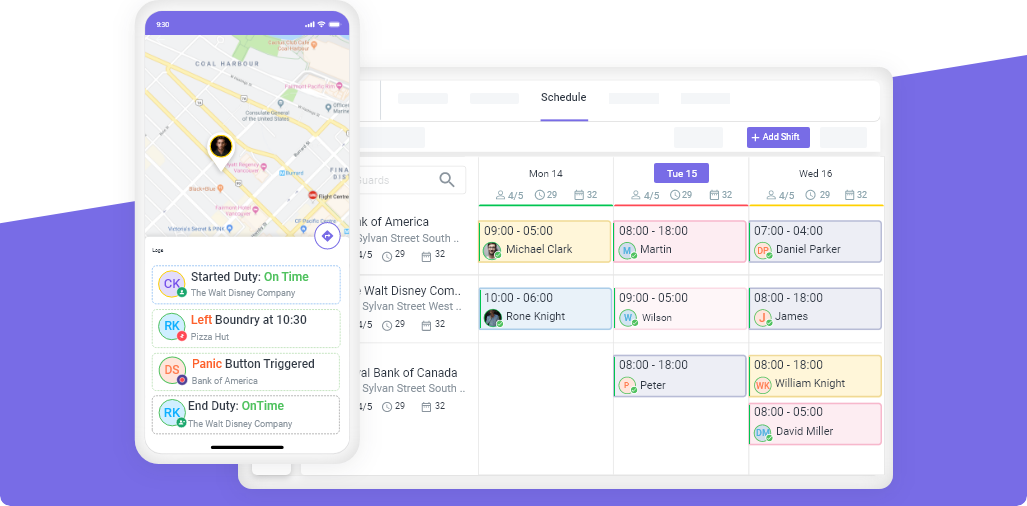
Novagems is security scheduling software built for security companies. Handle guard scheduling, shift swaps, open shifts and dispatch across multiple sites from one app, and keep employee scheduling for cleaning and healthcare teams in the same platform.











Key Features
Drag & Drop
Scheduling
Multi-View
Scheduling
Automated Shift Templates
& Recurring Shifts
Employee Shift Confirmation
& Approvals
Conflict Alerts & Color-Coded
Scheduling
Drag-and-Drop Scheduling
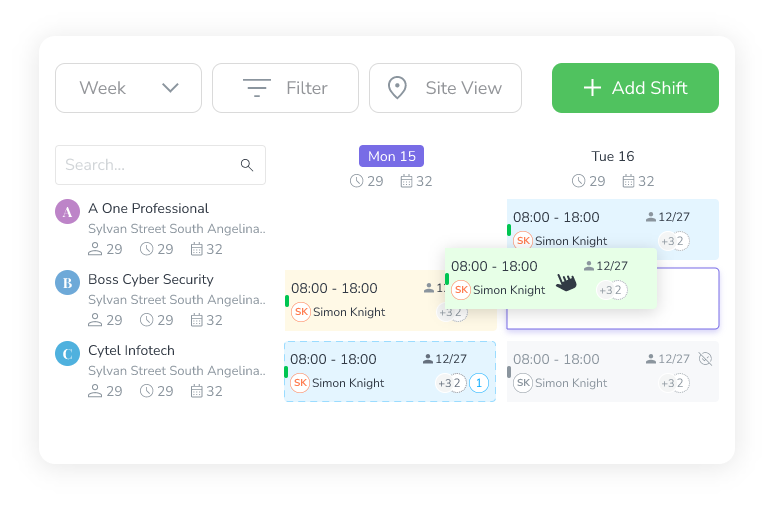
Managing Shifts Has Never Been Easier. With Our Drag-And-Drop Scheduling, You Can Quickly Create, Modify, And Assign Shifts With Just A Few Clicks. Instead Of Manually Entering Shift Details, Simply Drag A Shift To The Desired Time Slot Or Copy And Paste Existing Shifts For Faster Scheduling.
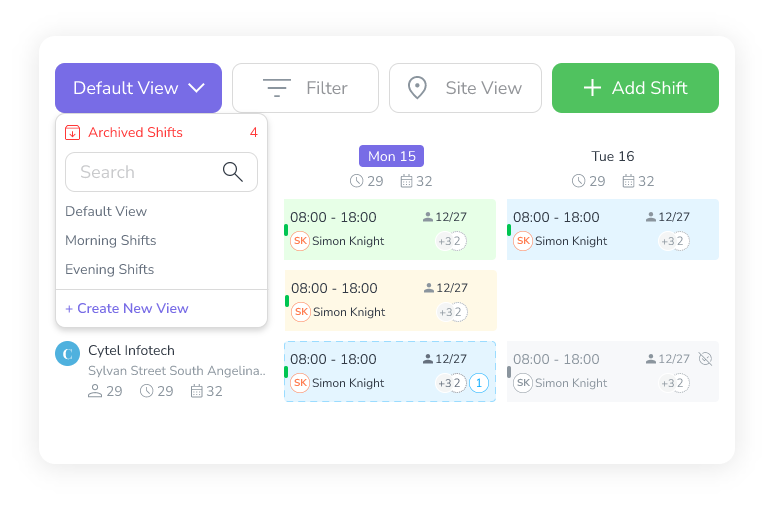
Multi-View Scheduling
Every Business Operates Differently, Which Is Why Our Scheduling System Offers Multiple Viewing Options Tailored To Your Needs. Switch Between Table View, Monthly View, And Custom Views To Get The Most Efficient Overview Of Your Workforce.
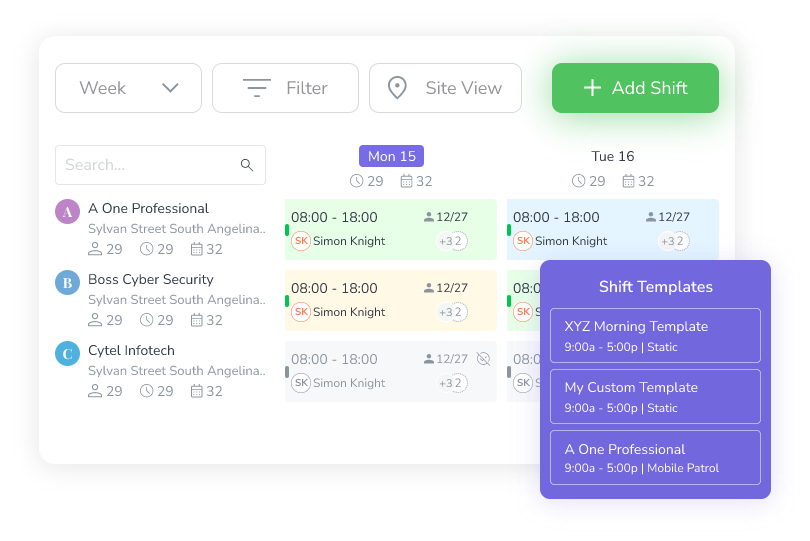
Recurring Shifts & Shift Templates
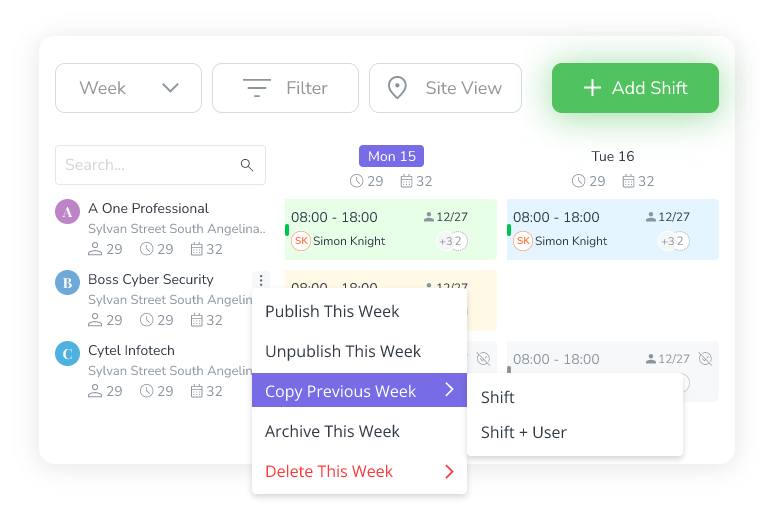
Stop Manually Recreating The Same Shifts Week After Week. Simply Set Up A Template For Commonly Used Shifts, And Then You Can Easily Use Them As And When Required. This Works For All Different Job Roles, Sites, Or Teams. Now, Make Scheduling Faster And More Efficient.


Shift Confirmation & Approvals
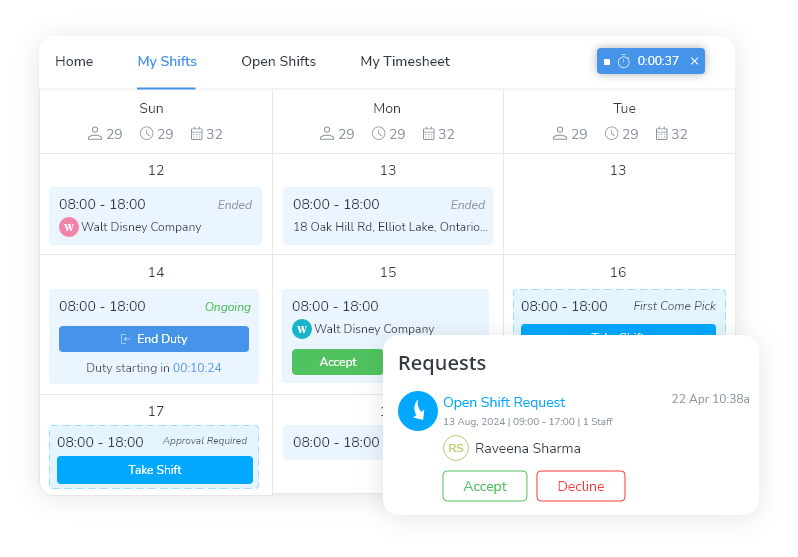
With Shift Confirmation & Approvals, Employees Receive A Notification About Their Assigned Shifts And Can Confirm Their Availability Instantly. If A Shift Is Declined, Managers Are Alerted In Real Time And Can Reassign The Shift To Another Available Employee. Keeping Managers In Control With An Easy Approval Workflow.
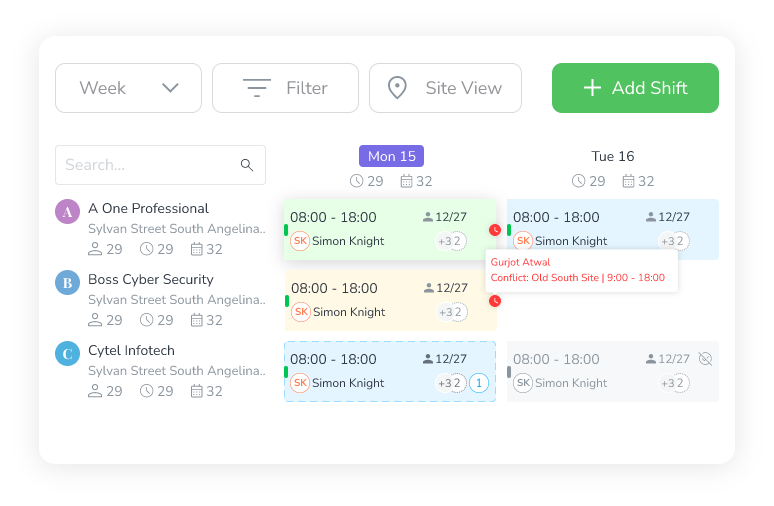
Scheduling Conflict Alerts
Managers Get Real-Time Notifications To Adjust Schedules Before Conflicts Happen. Instead Of Manually Checking For Errors, The System Lets You Know About The Issues Instantly, Allowing For Quick Fixes And Ensuring That Every Shift Is Covered Without Confusion.
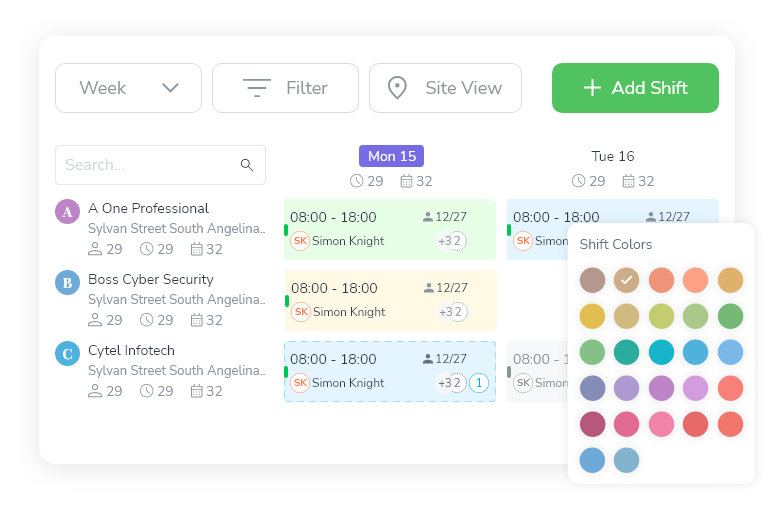
Color-Coded Scheduling & Custom Templates
Assign Different Colors To Various Job Roles And Locations, Making Schedules Easier To Read At A Glance. Custom Templates Allow Managers To Pre-Set Recurring Shift Structures, Saving Time On Scheduling And Ensuring A Consistent Workflow Across All Sites.
Employee Scheduling Software For Every Industry
Built For Teams Of All Sizes, Novagems Helps Businesses Streamline Scheduling, Time Tracking, And Workforce Management. See How Companies Like Yours Are Benefiting.


Security guard scheduling software is a tool that automates shift planning, assignment, dispatch, and communication for security companies. Novagems security company scheduling software lets managers build weekly guard schedules in minutes using drag-and-drop shift planning, automatic conflict detection, overtime threshold alerts, and open shift management for last-minute coverage. The platform is used by 500+ security, cleaning, and healthcare companies in the US and Canada to schedule 10 to 1,500+ employees across multiple sites.
What Is Security Guard Scheduling Software?
Security guard scheduling software replaces spreadsheets, paper schedules, and group texts with a digital system that automates shift creation, assignment, conflict detection, and team communication. Good security scheduling reduces the time managers spend building schedules by 60-70% while preventing the errors that cause no-shows, overtime surprises, and compliance violations.
It also doubles as security dispatching software: when a post goes uncovered or an incident needs a response, you can see who is on duty, who is qualified, and who is closest, then dispatch and notify them from the same screen you built the schedule on.
For security and cleaning companies, scheduling is fundamentally harder than retail or office settings. You are managing:
- Multiple sites with different shift times, headcounts, and requirements
- 24/7 coverage with overlapping day, evening, and night shifts
- Certification requirements that restrict which employees can work which posts
- Client-specific requests for particular guards or cleaners
- Last-minute callouts that require instant backup coverage
Generic scheduling tools (like Google Sheets or When I Work) handle basic shift assignment. Industry-specific scheduling software (like Novagems) handles all of the above while integrating with GPS tracking, checkpoint tours, and client reporting.
Pricing
Novagems scheduling is included in the all-in-one platform, not a separate module or add-on.
- Per active user pricing, you only pay for employees currently scheduled
- All features included, scheduling, GPS, checkpoint tours, incident reporting, client reporting, timesheets
- No long-term contracts, month-to-month billing
- 14-day free trial
Direct Answers
Are there scheduling systems with custom rules for guard availability?
Yes. Novagems lets you define availability rules per guard and enforces them at the moment a shift is assigned, rather than flagging the conflict later. Rules you can set include recurring weekly availability, blackout dates and leave, maximum weekly hours before an overtime warning, site-level restrictions, and certification requirements that block assignment to posts a guard is not qualified for.
The enforcement point matters. A system that only reports conflicts after publishing still leaves you calling guards to unpick the schedule. Blocking the assignment as it is made is what removes the rework.
What are the best tools for assigning guards to recurring shifts?
For recurring coverage the capability that matters is a reusable shift template, not a calendar that copies last week wholesale. Novagems supports recurring shift patterns and repeat shifts so a rotation is built once and reused, with exceptions handled per occurrence instead of rebuilding the week. Open shifts broadcast to qualified, available guards when someone drops out.
What is the best software for security guard staffing?
Guard staffing software has to do three things general scheduling tools do not: enforce certification requirements per post, track hours across multiple sites so overtime is caught before payroll, and fill last-minute gaps from a qualified pool. Novagems covers all three and is built for security companies with 5 to 500 guards. For a comparison of eight platforms including enterprise and budget options, see best security guard management software.
Can one system handle scheduling and guard tracking together?
Yes, and for security operations it is worth insisting on. When scheduling and GPS tracking share one system, a scheduled shift and its verified clock-in are the same record, so timesheets are built from evidence rather than reconciled between two tools.
Experience Effortless Scheduling Today!
No More Spreadsheets, No More Last-Minute Chaos. Start Scheduling Smarter And Faster!
Boost Workforce
Productivity
Reduce Scheduling
Errors
Save Time With
Automation



Start Managing Your Team Smarter – For Free
Power, Simplicity & Support

24/7
Support
Get Round-The-Clock Assistance Whenever You Need It

Free Training & Built-In
Learning Videos
Seamless Onboarding With Step-By-Step Guides And In-App Tutorials.

Fast
Implementation
Set Up And Start Managing Your Workforce In No Time.

Web & Mobile
Accessibility
Manage Your Team Anytime, Anywhere With Our Mobile And Web Apps.
Frequently Asked Questions
The best guard scheduling software handles split shifts, overnight coverage, certifications, and last-minute call-outs without spreadsheets. Novagems offers drag-and-drop scheduling with conflict and overtime detection, open-shift broadcasting to qualified guards, and geofenced clock-in, built specifically for security operations rather than generic retail shift work.
Top workforce management tools for guard services include Novagems, TrackTik, Silvertrac, Belfry, and GuardsPro. Novagems is used by 500+ security and cleaning companies and combines scheduling, GPS tracking, checkpoint tours, incident reporting, and payroll-ready timesheets in one platform, billed per active user.
Yes. Novagems flags double-bookings and warns managers before a guard crosses the overtime threshold, and it only lets certified, available guards be scheduled or claim open shifts, keeping schedules compliant and payroll predictable.
Related Resources