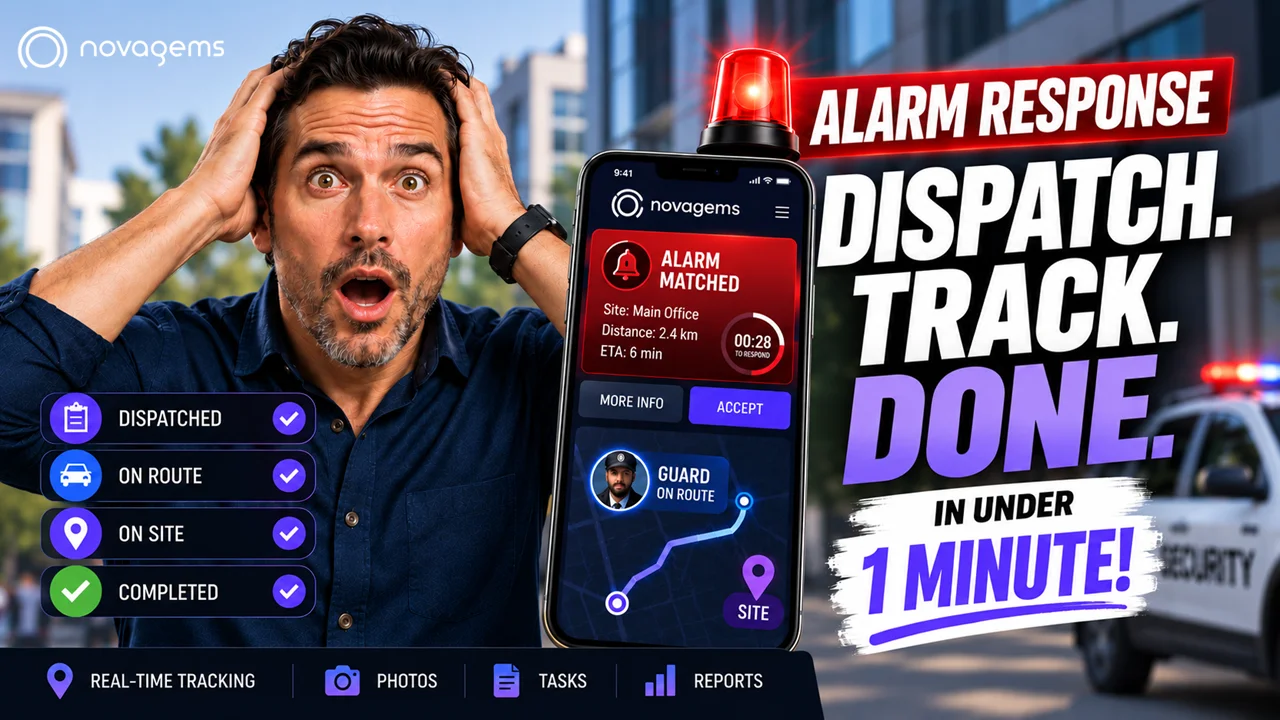
Security dispatch software is a platform that helps security companies receive service calls, assign the nearest qualified guard using GPS, track the response in real-time, and document the outcome, all in a single system. It replaces phone trees, radio chatter, and handwritten logs with an accountable digital workflow. Companies using dispatch software report 25-40% faster response times, 60% reduction in dispatch errors, and audit-ready documentation for every incident.
If your dispatcher is still juggling phones, radios, spreadsheets, and sticky notes, you are losing money every shift. Missed alarms. Late responses. Guards sent to the wrong site. Clients calling to ask “where is my patrol?” These problems are not human error, they are system failures caused by using 1990s tools to run a 2026 operation.
Security dispatch software solves this by turning every call into a tracked, assigned, and documented ticket. This guide explains what it is, how it works, what features matter, and how to choose the right platform for your operation.
What Is Security Dispatch Software?
Security dispatch software is a specialized tool that manages the real-time flow of security service requests, from the moment a call comes in until the incident is resolved and documented.
Think of it as the air traffic control tower for your security operation. Every alarm, service request, client call, and patrol assignment flows through the platform. The dispatcher (or the system itself, with AI-powered routing) assigns the right resource to the right call at the right time.
The core job: get the right guard to the right location at the right time with the right instructions, then prove it happened.
What Dispatch Software Replaces
| Old Way | New Way |
|---|---|
| Dispatcher with 4 phones and a whiteboard | Unified dispatch console on one screen |
| Radio chatter to find the closest guard | GPS-based automatic guard matching |
| Handwritten incident logs | Digital incident records with photos and timestamps |
| Phone calls to clients (“where’s my guard?") | Self-service client reporting showing live status |
| Manual coverage tracking | Real-time availability dashboard |
| Spreadsheet-based post-incident reports | Auto-generated reports ready for clients |
How Security Dispatch Software Works
The workflow is the same whether the request comes from an alarm system, a client reporting, a phone call, or a scheduled patrol assignment.
The 6-Step Dispatch Flow
Call intake, an alarm triggers, a client submits a request, or a dispatcher takes a phone call. The system creates a new dispatch ticket with location, client, incident type, and priority level.
Guard assignment, the system identifies available guards using real-time GPS. The dispatcher (or automated rules) assigns the closest qualified guard based on location, skills, certifications, and current workload.
Dispatch notification, the assigned guard receives instant notification on their mobile app with site details, incident description, access instructions, and client contact info.
En-route tracking. GPS tracks the guard’s location and ETA. The dispatcher and client see the guard moving toward the site in real-time on the live map.
On-scene work, the guard arrives, addresses the incident, documents findings with photos and notes, and communicates with dispatch via the app.
Resolution and reporting, the guard closes the ticket with a complete incident report. The platform generates a client-ready report, logs response time, and archives everything for audit.
A Typical Call in Action
2:17 AM. Alarm triggers at 4200 Commercial Drive.
- 2:17 AM. Dispatch software receives alarm notification via Honeywell integration
- 2:17 AM. System identifies 3 nearest patrol units; assigns Unit 7 (closest at 2.3 miles)
- 2:17 AM. Guard receives push notification with site details and access code
- 2:18 AM. Guard acknowledges and begins driving (GPS tracking active)
- 2:23 AM. Guard arrives on-site (ETA prediction was 2:22 AM, accurate within 1 min)
- 2:35 AM. Guard completes perimeter check, files “false alarm” incident report
- 2:36 AM. Automated client notification sent with incident details
- 2:40 AM. Dispatch ticket closed; response time logged: 6 minutes
That entire sequence runs automatically. No phone calls. No paperwork. No guesswork.
Key Features to Look For
Not every platform labeled “dispatch software” actually delivers what security companies need. Here’s what separates real dispatch tools from glorified to-do list apps.
Must-Have Features
| Feature | Why It Matters |
|---|---|
| Real-time GPS tracking | See every guard’s location continuously, without it, you cannot dispatch efficiently |
| Automated guard-to-call matching | System suggests the closest qualified guard for every call |
| Mobile dispatch app | Guards receive assignments, document incidents, and communicate from their phone |
| Live map dashboard | Visual overview of every active unit and pending call |
| Two-way messaging | Dispatch and guards communicate inside the platform (replaces radio traffic) |
| Incident documentation | Guards file reports with photos, GPS, and timestamps, auto-attached to the ticket |
| Response time tracking | Logs time from call received to guard on-scene to incident closed |
| Client reporting | Clients see their own incidents, reports, and response times |
| Scheduling integration | Dispatch sees which guards are on-shift and available right now |
Advanced Features (Enterprise)
- AI-powered dispatching, machine learning predicts optimal guard assignment from historical data, reducing response times by up to 30%
- Alarm integration, incoming alarms from Honeywell, Bosch, DMP, etc. auto-create dispatch tickets
- Video surveillance integration, dispatcher can view cameras at the site while guard is en-route
- License plate recognition (LPR), automatic plate capture at client sites flagged during incidents
- Push-to-talk, radio-style voice communication between dispatch and all guards
- Automated escalation, if a guard doesn’t respond within X seconds, the system auto-assigns to the next closest unit
Benefits for Security Companies
1. Faster Response Times
Response time is the single most important metric in security operations. Clients measure it. Contracts are won and lost on it. Dispatch software reduces response times through:
- GPS-based guard assignment (no radio calls to “check who’s closest”)
- Instant mobile notifications (no phone trees)
- Automated escalation (no guard forgetting a call)
- Real-time ETA predictions
Industry data: Companies switching from manual dispatch to software-based dispatch report average response time reductions of 25-40% within the first 60 days.
2. Accountability and Audit Trail
Every dispatch ticket creates a complete audit record:
- Who received the call (dispatcher name, timestamp)
- Who was assigned (guard name, assignment time)
- GPS path from assignment to arrival
- Time on-scene
- Actions taken (from the incident report)
- Final resolution and client notification
This is invaluable for:
- Client disputes, “we responded in 8 minutes, here’s the GPS log”
- Insurance claims, documented evidence of proper response
- Legal proceedings, incident reports with timestamps and GPS coordinates hold up in court
- Regulatory audits, instant reports for any date range
3. Higher Guard Accountability
Guards know every action is tracked. This is not micromanagement, it’s structure. Dispatch software typically results in:
- 30-50% reduction in “lost” guards who go dark between calls
- 40-60% reduction in missed clock-ins
- 20-30% improvement in report quality and completeness
4. Client Transparency
Clients who see their own dispatch history, response times, and incident reports in a portal become stickier. Retention improves 15-25% when clients have self-service access to their security data.
5. Dispatcher Efficiency
A single dispatcher can handle 2-3x more calls with good software compared to phone/radio dispatch. This is real labor cost savings: one experienced dispatcher at $25/hr handling 100 calls per shift instead of 40 is 60% more efficient.
Security Dispatch Software ROI
For a security company with 50 guards handling ~200 dispatched calls per month:
| Metric | Manual Dispatch | With Software | Annual Value |
|---|---|---|---|
| Average response time | 12 min | 8 min | Win more contracts at faster SLA |
| Lost calls (no assignment, dropped radio) | 4-6/month | <1/month | $5,000-$15,000 recovered |
| Dispatcher labor (hours/week) | 160 | 100 | $60,000/year saved |
| Incident report completion rate | 60% | 95% | Better billing + audit compliance |
| Client retention | Baseline | +15-25% | $50,000-$150,000/year |
| Total annual value | $115,000-$225,000 | ||
| Software cost (50 users @ $10/mo) | $6,000 | ||
| Net ROI | ~20-40x |
How Novagems Handles Dispatch
Novagems includes dispatch functionality as part of the all-in-one platform, not a separate add-on or upgrade tier.
Novagems dispatch features:
- Smart Response, instant alert-to-guard assignment based on GPS proximity
- Live map, all on-duty guards visible in real-time across every site
- Mobile app for guards, receive assignments, document incidents, attach photos
- Automated client reports, every dispatched incident gets a branded report delivered automatically
- Integration with scheduling, dispatch only assigns guards who are on-shift
- Overtime alerts, flagged before assigning a guard near the 40-hour threshold
- Client reporting, clients see their own dispatch history and response times
Because dispatch is integrated with GPS tracking, scheduling, checkpoint tours, and incident reporting, you don’t need multiple platforms or data to sync between them. Everything lives in one system.
How to Choose the Right Dispatch Software
Questions to Ask Vendors
- Is dispatch a standalone module or part of a complete platform? (Integrated = better)
- Does it use GPS for automated guard matching, or is it manual assignment only?
- What alarm systems does it integrate with? (Honeywell, Bosch, DMP, etc.)
- Can clients see their own dispatch history through a portal?
- What is the mobile app experience like for guards? (Request a demo on a real phone)
- How are response times measured and reported?
- Does pricing include dispatch or is it an upsell?
- What is the implementation timeline? (1-2 days is realistic; weeks is a red flag for SMB)
Red Flags
- Per-dispatch or per-call pricing, volume-based pricing punishes growth
- No mobile app for guards, dispatch-by-SMS is not professional-grade
- No GPS or real-time location, you can’t dispatch efficiently without knowing where guards are
- Separate billing for alarm integration, table-stakes feature, shouldn’t be an upsell
- No client reporting, in 2026, clients expect self-service access
- Long-term contracts required, good platforms don’t need to lock you in
Getting Started
Most security companies are fully operational on dispatch software within 3-5 business days:
- Sign up for a free trial (most vendors offer 14 days)
- Import your guard list and confirm GPS tracking on every device
- Add your sites with addresses, access instructions, and client contacts
- Configure dispatch rules, priority levels, SLA targets, escalation thresholds
- Test with live calls, start with a small subset of alarm accounts or mobile patrol calls
- Go live, migrate all dispatch to the platform
Ready to see how dispatch works inside a complete workforce platform? Start a free 14-day trial with Novagems and have your dispatch operation live within a week.
Further Reading
- Types of Security Guard Services, pillar guide covering all 12 security service categories
- How to Price Security Guard Contracts, bill rates, margins, and contract pricing formulas
- Workforce Management for Security Companies, operations platform for security firms
- GPS Tracking and Geofencing, verified patrols and real-time guard location
- Start a Free 14-Day Trial, cancel anytime
Frequently Asked Questions
What is security dispatch software?
Security dispatch software is a platform that helps security companies receive incoming alarm or service calls, assign the nearest available guard or patrol vehicle, track the response in real-time, and document the outcome in a single system. It replaces phone trees, radio chatter, and manual logs with an accountable digital workflow that reduces response times and creates audit-ready records.
How does security dispatch software work?
A call or alarm enters the dispatch platform through a phone, client reporting, alarm integration, or mobile app. The system identifies the nearest qualified guard using GPS, assigns the task, sends instructions to the guard's mobile device, tracks the guard en route and on-scene, and captures the incident report and resolution. Managers and clients see every step in real-time.
What features should security dispatch software include?
Essential features include: real-time GPS tracking of guards and vehicles, automated guard-to-site matching, mobile dispatch app for guards, incident creation and documentation, response time tracking, two-way communication with field officers, client reporting for transparency, integration with alarm systems and video surveillance, scheduling and attendance, and automated reporting.
How much does security dispatch software cost?
Security dispatch software typically costs $5-$15 per guard per month as part of a complete workforce management platform. Standalone dispatch-only solutions can range from $50-$300 per month for small operations. Enterprise platforms with AI-powered dispatching and video integration start at $10-$25 per user per month.
Who needs security dispatch software?
Any security company handling alarm response, mobile patrol, or multi-site operations benefits from dispatch software. It's essential for companies with 10+ guards, mobile patrol operations, 24/7 dispatch centers, alarm response contracts, or clients that require documented response times. Single-site static guard operations may not need full dispatch functionality.
What is the difference between security dispatch software and security guard management software?
Security guard management software is the broader category that includes scheduling, GPS tracking, incident reporting, and timesheets. Security dispatch software is a specialized subset focused on real-time call assignment and response tracking. Most modern platforms (including Novagems) include dispatch functionality as part of their complete workforce management offering.
Can security dispatch software reduce response times?
Yes. Companies using automated dispatch with GPS-based guard matching report 25-40% faster response times compared to phone-based dispatch. AI-powered dispatch platforms that predict optimal guard assignment using historical data show response time reductions of up to 30% on routine calls and 15-20% on priority calls.
Does security dispatch software integrate with alarm systems?
Modern dispatch platforms integrate with alarm monitoring systems, access control, video surveillance (CCTV), license plate recognition, and client reporting. This lets an incoming alarm automatically create a dispatch ticket, assign the nearest guard, notify the client, and attach the alarm details to the incident report, without human intervention in the first 60 seconds.
See Novagems in action
Join 500+ security & cleaning companies that replaced spreadsheets with Novagems.
✓ 14-day free trial · ✓ Free onboarding · ✓ Cancel anytime