Most security guards write daily activity reports that say something like: “Patrolled the building. Everything was fine. No incidents.”
That report tells the client nothing. It does not prove the guard actually patrolled. It does not document what was checked. And if something goes wrong later, there is no record of what the guard observed during their shift.
A professional daily activity report is the single most visible proof of your service quality. Clients read these. Property managers forward these to building owners. And when a contract renewal comes up, the quality of your DARs can be the deciding factor.
This guide gives you a ready-to-use template, a filled example, and the writing tips that separate amateur reports from professional ones.
What Is a Daily Activity Report (DAR)?
A daily activity report is a chronological log of everything that happens during a security guard’s shift. Unlike an incident report (which covers a single event), a DAR covers the entire shift from clock-in to clock-out.
A good DAR answers three questions:
- What did the guard do during the shift?
- What did the guard observe?
- What actions were taken?
Daily Activity Report Template — Preview
Here is what the template includes:
| Section | What’s Included |
|---|---|
| Shift Information | Report date, site name, address, guard name, badge #, shift time, post assigned, weather, relieving guard |
| Activity Log | Time, location, activity/observation, action taken — 15 rows for a full 8-hour shift |
| Shift Summary | Total patrols, incidents reported, maintenance issues, visitors/deliveries, items for next shift |
| Handoff Section | Relieved by, handoff time, verbal briefing notes |
| Signatures | Guard signature + supervisor review with dates |
The full template is ready to print or use digitally — complete with Novagems branding, all the fields your guards need, and a professional layout your clients will appreciate.
What you get:
- Complete DAR template with all fields (shift info, activity log, summary, handoff, signatures)
- Professional formatting ready for client-facing use
- Works as a printable PDF or fillable Word document
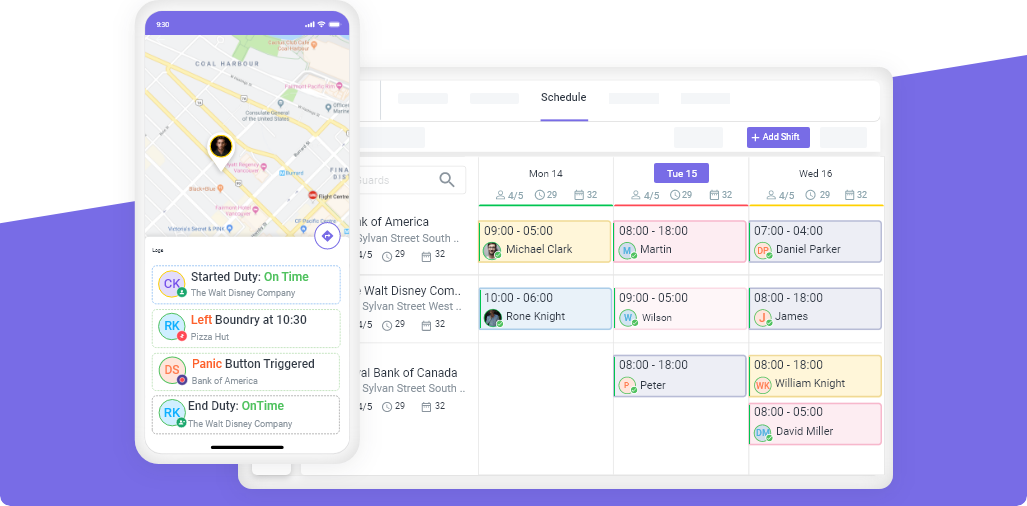
- Digital version available through Novagems (auto-timestamps, GPS, photos)
Common DAR Writing Mistakes
1. Writing everything at end of shift. Memory fades fast. Write entries as they happen, not 8 hours later.
2. Being too vague. “Patrolled building” tells clients nothing. “Completed patrol of parking levels 1-3, checked all stairwell doors, verified emergency lighting on each level” proves you did the work.
3. Skipping quiet periods. If nothing happened between 10:00 and 12:00, write “10:00-12:00: Monitored lobby. No unusual activity observed.” Silence in the log looks like the guard was not working.
4. Including opinions. “The tenant in Suite 302 seemed suspicious” is an opinion. “Observed an unrecognized individual attempting to access Suite 302 without a key card at 14:30” is a fact.
5. Illegible handwriting. The strongest argument for switching to digital reporting.
Paper vs Digital Daily Activity Reports
| Feature | Paper DAR | Digital DAR |
|---|---|---|
| Timestamped entries | ✗ (manual) | ✓ (automatic) |
| GPS location per entry | ✗ | ✓ |
| Photo attachments | ✗ | ✓ |
| Instant delivery to manager | ✗ | ✓ |
| Searchable archive | ✗ | ✓ |
| Client portal access | ✗ | ✓ |
| Legibility guaranteed | ✗ | ✓ |
| Works without internet | ✓ | ✓ (syncs when online) |
Digital DARs are not just more convenient. They are more accurate, more professional, and more useful for client reporting.
Novagems lets guards log activity entries from their phone with automatic timestamps and GPS location. Reports are delivered to managers and clients instantly. Start your free 14-day trial and see how much more professional your daily reports become.
Tips for Better Daily Activity Reports
- Log entries in real time, not at end of shift
- Be specific: include times, locations, names, descriptions
- Use objective language: facts, not opinions
- Note even routine observations: “All clear” entries prove you were present and patrolling
- Mention handoffs: document what you told the next guard
- Include photos when relevant (digital reporting makes this easy)
- Keep a consistent format so clients can scan reports quickly
See Novagems in action
Join 500+ security & cleaning companies that replaced spreadsheets with Novagems.
✓ 14-day free trial · ✓ Free onboarding · ✓ Cancel anytime